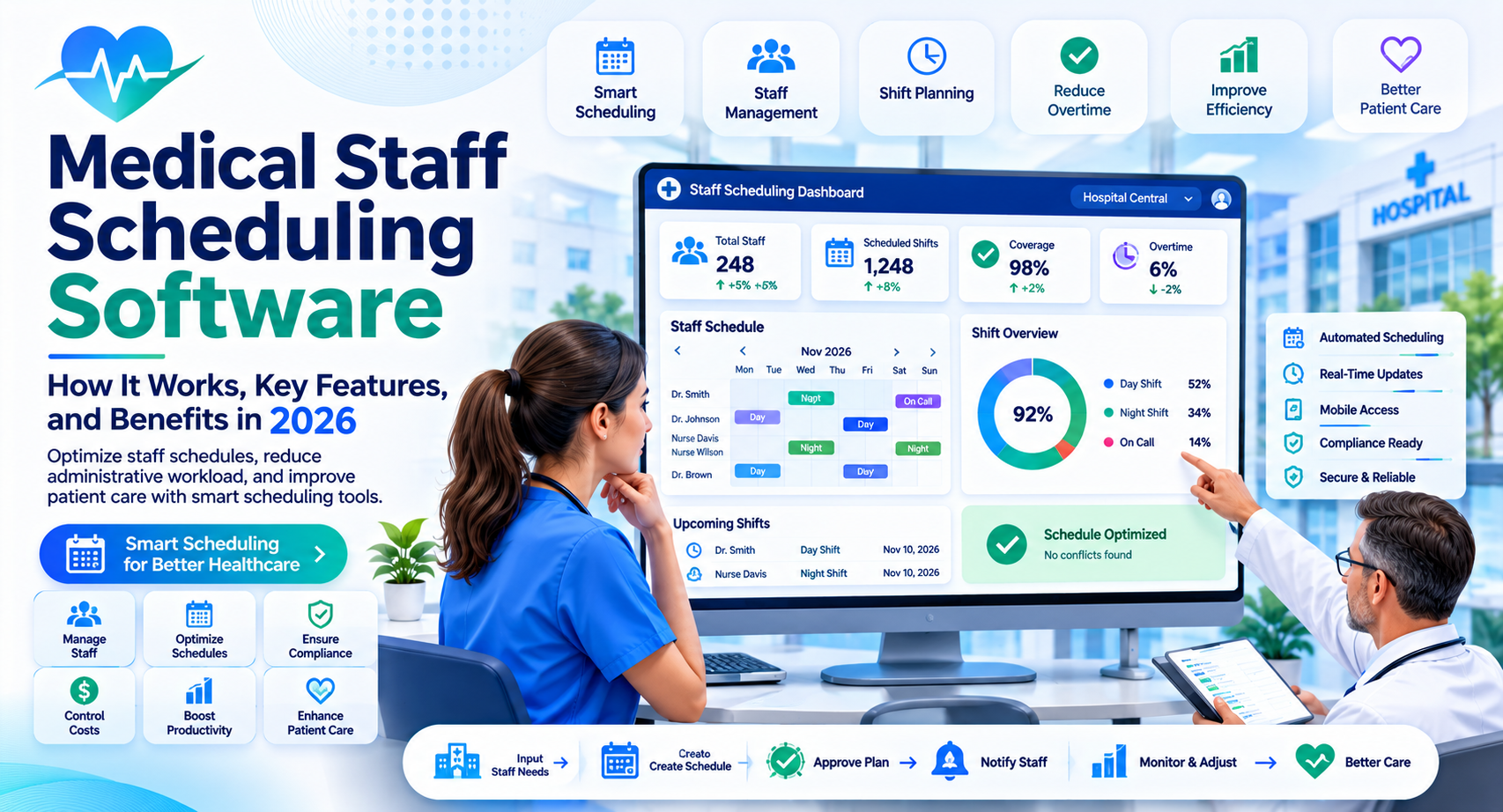
Medical Staff Scheduling Software: How It Works, Key Features, and Benefits in 2026
Introduction
Managing schedules in a healthcare facility is more complicated than assigning employees to shifts. Hospitals, clinics, and medical practices must coordinate doctors, nurses, technicians, and support staff while ensuring 24/7 coverage. A single scheduling mistake can create staffing gaps, increase overtime, and put additional pressure on an already busy team.
That is why many healthcare organizations use medical staff scheduling software to organize shifts and manage workforce availability.
These platforms help administrators build schedules, track employee availability, manage shift changes, and identify staffing gaps. Some also include time tracking, labor forecasting, and integrations with payroll or workforce management systems.
In this guide, you will learn how medical scheduling software works, which features matter most, what benefits it offers, and how to choose the right solution for your healthcare organization.
What Is Medical Staff Scheduling Software?
Medical staff scheduling software is a digital workforce management solution that helps healthcare organizations plan, assign, and manage employee shifts.
Instead of relying on spreadsheets, paper schedules, or lengthy email conversations, administrators can manage staffing information through a centralized platform.
Depending on the product, the software may support:
- Doctor and nurse shift scheduling
- Employee availability management
- Shift swapping and replacement requests
- Overtime monitoring
- Staffing requirement tracking
- Schedule notifications and reminders
- Time and attendance management
- Payroll and HR integrations
For example, a hospital administrator can use scheduling software to assign nurses to different departments, check upcoming staffing requirements, and identify uncovered shifts before they become urgent problems.
The main purpose is to make healthcare scheduling more organized, transparent, and manageable.
Key Features to Look for in Medical Staff Scheduling Software
Not every scheduling platform offers the same capabilities. A small medical practice may need basic calendar management, while a large hospital may require advanced workforce planning.
Here are the features worth evaluating.
1. Automated Shift Scheduling
Automated scheduling helps administrators create employee schedules based on availability, shift requirements, and organizational rules.
Some platforms use scheduling rules or AI-assisted recommendations to suggest suitable assignments.
For example, if a clinic needs additional nursing coverage on Monday mornings, the system may help identify available employees who meet the required qualifications.
Automation can reduce repetitive administrative work, but managers should review suggested schedules before publishing them.
2. Employee Availability Management
Healthcare employees often have different working hours, leave requests, and scheduling preferences.
Availability management lets staff submit preferred working times, update availability, and communicate scheduling restrictions.
This gives administrators better information when preparing upcoming schedules.
3. Shift Swapping and Open Shift Management
Unexpected absences can leave departments short-staffed. Shift management features make it easier to handle these situations.
Employees may be able to request shift swaps, apply for open shifts, or notify managers about availability changes.
Administrators can review requests and approve changes according to internal policies.
4. Compliance and Overtime Tracking
Healthcare organizations must consider applicable labor laws, employment agreements, and internal staffing policies when creating schedules.
Useful software features include:
- Monitoring scheduled working hours
- Identifying potential overtime
- Tracking rest periods
- Recording shift assignments
- Maintaining scheduling records
For US healthcare employers, scheduling processes should account for applicable federal and state requirements. For example, the Fair Labor Standards Act (FLSA) establishes federal overtime requirements for covered, nonexempt employees. State rules may provide additional protections.
Scheduling software can help identify potential issues, but it does not automatically guarantee legal compliance.
5. Mobile Access and Notifications
Healthcare employees cannot always check schedules from an office computer.
Mobile access allows staff to view shifts, receive schedule updates, submit requests, and check important notifications.
This is particularly useful for hospitals and multi-location healthcare organizations where employees work across different departments.
Benefits of Using Medical Staff Scheduling Software
A well-implemented scheduling platform can improve workforce coordination and reduce unnecessary administrative effort.
Better Staffing Coverage
Healthcare facilities need appropriate staffing levels across departments and shifts.
Scheduling software helps administrators identify uncovered shifts and review staffing assignments before schedules are finalized.
This can make it easier to respond to staffing shortages and changing operational needs.
Less Administrative Work
Manually preparing schedules can involve spreadsheets, phone calls, emails, and repeated updates.
A centralized system reduces the need to maintain multiple versions of the same schedule.
Administrators can spend less time organizing routine scheduling information and more time addressing workforce requirements.
Improved Employee Communication
When schedules change, employees need accurate and timely information.
Notifications and centralized schedules help everyone access the latest assignments.
This can reduce confusion caused by outdated spreadsheets or messages sent through multiple communication channels.
Better Overtime Visibility
Unexpected overtime can increase labor expenses.
Scheduling platforms can help managers review working hours, identify potential overtime, and distribute available shifts more effectively.
However, reducing overtime should never come at the expense of safe staffing levels or employee well-being.
Greater Scheduling Transparency
Employees can view their assigned shifts, availability information, and approved schedule changes in one place.
Clear scheduling records also make it easier for managers to understand how staffing decisions were made.
How to Choose the Right Medical Staff Scheduling Software
Selecting the right platform depends on your organization’s size, staffing model, budget, and operational requirements.
Before purchasing a solution, evaluate these factors.
1. Understand Your Staffing Requirements
Start by identifying the scheduling problems your organization wants to solve.
A small outpatient clinic may need simple shift calendars and availability tracking. A large hospital may require department-level scheduling, multiple shift patterns, and advanced workforce planning.
List your requirements before comparing vendors.
2. Check Ease of Use
A complicated system can create additional work instead of reducing it.
Look for an intuitive interface that administrators and healthcare employees can learn without extensive training.
Ask vendors for a product demonstration and test common tasks such as creating shifts, approving leave, and handling shift changes.
3. Review Integrations
Your scheduling platform may need to exchange information with existing systems.
Depending on your organization, useful integrations may include:
- Human resources software
- Payroll platforms
- Time and attendance systems
- Hospital management software
- Employee communication tools
Confirm that the required integrations are available in your selected subscription.
4. Evaluate Security and Privacy
Healthcare organizations must take employee and patient information seriously.
Review the provider’s security documentation, access controls, encryption practices, data retention policies, and incident response procedures.
If the platform stores or processes protected health information (PHI) on behalf of a covered entity or business associate, evaluate applicable HIPAA requirements and whether the vendor will sign a Business Associate Agreement (BAA) when required.
Avoid assuming that scheduling software is automatically HIPAA compliant simply because it is designed for healthcare.
5. Compare Pricing and Support
Software pricing may depend on the number of employees, available features, locations, or subscription tiers.
Ask vendors about:
- Per-employee or per-user charges
- Setup and implementation fees
- Training costs
- Integration expenses
- Customer support availability
- Contract and cancellation terms
Compare the total cost rather than looking only at the advertised starting price.
Common Challenges When Implementing Scheduling Software
Introducing new software requires more than purchasing a subscription.
Employee adoption: Some employees may prefer familiar scheduling methods. Provide basic training and explain how the platform will simplify everyday tasks.
Incorrect scheduling rules: Automation depends on accurate information. Review employee qualifications, availability, department requirements, and scheduling policies before using automated recommendations.
Integration difficulties: Existing HR or payroll systems may not connect easily. Confirm technical compatibility with the vendor before implementation.
Data security concerns: Establish user permissions and access policies. Employees should only see information appropriate to their roles.
A small pilot involving one department can help identify problems before the software is introduced across the entire organization.
Frequently Asked Questions
What is the main purpose of medical staff scheduling software?
Its main purpose is to help healthcare organizations organize employee shifts, manage availability, coordinate shift changes, and maintain adequate staffing coverage.
Who uses medical staff scheduling software?
Hospitals, clinics, urgent care centers, nursing facilities, medical practices, and other healthcare organizations use scheduling software to coordinate doctors, nurses, technicians, and support staff.
Can medical staff scheduling software automatically create schedules?
Yes. Some platforms offer automated scheduling or AI-assisted recommendations based on employee availability, staffing requirements, and scheduling rules. Managers should review schedules before approving them.
Is medical staff scheduling software HIPAA compliant?
Not automatically. HIPAA applicability depends on how the software is used and what information it handles. Healthcare organizations should evaluate vendor security practices, contractual obligations, and applicable HIPAA requirements.
How much does medical staff scheduling software cost?
Pricing varies by provider, employee count, features, and subscription plan. Some vendors offer per-user pricing, while others provide custom quotes for larger healthcare organizations. Request a detailed quote before making a decision.
Conclusion
Medical staff scheduling software helps healthcare organizations manage shifts, improve workforce communication, monitor staffing requirements, and reduce repetitive administrative work.
The best solution depends on your organization’s size and operational needs. A small clinic may only require basic scheduling and availability management, while a hospital may need advanced automation, compliance support, and integrations with existing HR systems.
Before choosing a platform, compare its scheduling features, ease of use, security practices, integrations, and total cost.
Start by identifying your biggest workforce scheduling challenges, then evaluate software that addresses those specific needs. You can also explore related guides on healthcare workforce management software, employee scheduling software, and hospital management software to understand how these solutions work together.
You may like: best-ai-tools-for-youtube-automation
You may like: ai-automation-tools-for-beginners