Best AI Tools for Small Businesses in 2026: 9 Options to Save Time and Grow
Introduction
Running a small business often means handling several jobs at once. You might write marketing emails in the morning, respond to customer questions in the afternoon, and manage invoices or spreadsheets after business hours. There is rarely enough time to do everything.
That is where artificial intelligence can help.
The best AI tools for small businesses in 2026 can simplify everyday tasks, support better decisions, and help small teams work more efficiently. You do not need a large budget or a dedicated technology department to benefit from them.
In this guide, we explore nine useful AI tools for writing, marketing, customer management, design, automation, and daily operations. You will also learn how to choose the right options without spending money on tools your business does not need.
1. ChatGPT – Best for Everyday Business Tasks
ChatGPT is a versatile AI assistant that can help small business owners with a wide range of daily activities. Instead of switching between several applications for basic tasks, you can use it to brainstorm ideas, prepare documents, analyze information, and improve written communication.
What can small businesses use ChatGPT for?
- Writing customer emails and business proposals
- Creating product descriptions and website content
- Brainstorming marketing campaigns
- Summarizing documents and reports
- Analyzing spreadsheets and business information
- Developing social media post ideas
Practical example: Imagine you own an online store in the United States. You can use ChatGPT to draft product descriptions, prepare responses to common customer questions, and create promotional email ideas.
However, AI-generated content should always be reviewed before publication. Check important facts, product details, and brand messaging rather than publishing the first response automatically.
Best for: Freelancers, online stores, consultants, agencies, and small teams that need an all-purpose AI assistant.
2. Claude – Best for Business Writing and Document Analysis
Claude, developed by Anthropic, is another useful AI assistant for small businesses. It is particularly worth considering when your work involves lengthy documents, detailed explanations, research summaries, or professional writing.
You can provide relevant business information and ask Claude to organize it into a clearer format.
Useful business applications
- Drafting business proposals and reports
- Reviewing lengthy documents
- Creating standard operating procedures (SOPs)
- Summarizing customer feedback
- Improving website and marketing copy
- Helping with coding and technical explanations
For example, a small consulting agency could use Claude to summarize a lengthy project document and turn its key points into a client-friendly report.
As with other AI assistants, review the output for accuracy and make sure confidential information is handled according to your company’s data policies.
Best for: Consultants, agencies, service providers, and businesses that regularly work with long documents.
3. Google Gemini – Best for Google Workspace Users
If your business already uses Gmail, Google Docs, Google Sheets, and other Google services, Gemini is worth exploring.
It can assist with writing, brainstorming, information analysis, and productivity tasks. Depending on the product and subscription available to you, Gemini can also connect with Google’s business tools and supported third-party services.
How Gemini can help
- Drafting and improving business emails
- Organizing information in documents
- Summarizing discussions and content
- Working with spreadsheet information
- Generating marketing ideas
- Supporting business research
For example, a small marketing agency could use Gemini to prepare email drafts, organize campaign information, and develop content ideas.
Google has also introduced business-focused Gemini features and connections for small business owners, making it an option worth evaluating if you already use its ecosystem.
Best for: Small businesses that rely heavily on Google Workspace and want AI assistance within their existing workflow.
4. Microsoft Copilot – Best for Microsoft 365 Users
Microsoft Copilot helps businesses work with AI across Microsoft’s productivity ecosystem. Depending on the plan and available features, it can assist with tasks involving Word, Excel, PowerPoint, Outlook, and Teams.
This can be useful for businesses that already depend on Microsoft applications for everyday operations.
Key uses for small businesses
- Drafting professional documents in Word
- Summarizing and analyzing spreadsheet data
- Preparing presentation outlines
- Improving email communication
- Summarizing meetings and discussions
- Organizing business information
Practical example: A small accounting or consulting firm could use Copilot to help summarize spreadsheet information, prepare presentation drafts, and organize meeting notes.
Remember that Copilot features and availability depend on the Microsoft product and subscription you use. Check the plan details before purchasing an additional license.
Best for: Small businesses that already use Microsoft 365 for documents, spreadsheets, email, and meetings.
5. Canva AI – Best for Marketing Design and Visual Content
Small businesses often need attractive graphics for websites, advertisements, presentations, and social media. Hiring a designer for every small task may not be practical.
Canva makes visual content creation easier, while its AI-powered features can help speed up parts of the design process.
What can Canva help you create?
- Social media graphics
- Promotional advertisements
- Business presentations
- Posters and flyers
- Marketing materials
- Basic branded visual content
For example, a local restaurant could create promotional graphics for seasonal offers, while an online business could prepare product banners and social media visuals.
AI-generated designs may still need editing. Check text accuracy, brand consistency, image quality, and licensing requirements before using assets commercially.
Best for: Small businesses, freelancers, online sellers, and marketing teams that create visual content regularly.
6. Zapier – Best for Automating Repetitive Tasks
Zapier connects different applications and helps automate repetitive business workflows. Its AI-related capabilities can also support workflows that involve interpreting information or completing steps across connected services.
This can reduce manual work, especially when your business uses multiple applications.
Examples of tasks you can automate
- Sending notifications when a new lead arrives
- Moving form submissions into a spreadsheet
- Connecting customer inquiries with CRM records
- Sending follow-up emails after specific events
- Organizing information between supported applications
Practical example: Suppose a potential customer submits a contact form on your website. A Zapier workflow could send a notification to your team and add the submitted information to a connected spreadsheet or CRM.
Start with simple workflows and test them carefully. Poorly configured automation can send duplicate messages or move incorrect information between applications.
Best for: Small teams that spend too much time transferring information between different business applications.
7. HubSpot – Best for Customer Relationships and Sales
HubSpot provides CRM, marketing, sales, and customer service tools. Its AI capabilities can help businesses organize customer information, support content creation, and improve parts of their sales and marketing workflows.
A CRM becomes especially useful when a business receives leads from multiple sources and needs a consistent way to follow up.
How HubSpot can support your business
- Organizing customer and lead information
- Tracking sales opportunities
- Managing customer interactions
- Supporting marketing campaigns
- Assisting with content creation
- Keeping sales activities organized
For example, a small digital marketing agency could use a CRM to track potential clients, record conversations, and manage follow-up activities.
HubSpot offers different products and subscription levels, so check which features are included before choosing a plan.
Best for: Service providers, agencies, startups, and small businesses that want to improve lead management and customer relationships.
8. QuickBooks – Best for Accounting and Financial Management
Managing business finances can become complicated as transactions, expenses, invoices, and customer payments increase.
QuickBooks is an accounting platform designed to help businesses organize financial activities. Depending on the product and plan, its AI-assisted capabilities can support certain bookkeeping and financial workflows.
Useful accounting activities
- Creating and managing invoices
- Tracking business expenses
- Organizing financial records
- Monitoring cash flow
- Preparing financial reports
- Supporting bookkeeping workflows
For example, a small US-based service business could use accounting software to track client payments, record expenses, and review its financial position.
AI assistance does not replace professional accounting advice. Review financial records carefully and consult a qualified accountant about tax reporting and compliance requirements.
Best for: Freelancers, service businesses, and small companies that want more organized bookkeeping and financial management.
9. Otter.ai – Best for Meeting Notes and Transcription
Meetings can generate useful information, but manually writing notes and action items takes time. Otter.ai helps businesses transcribe and organize conversations using AI-powered meeting tools.
This can be helpful for remote teams, consultants, agencies, and businesses that regularly hold client meetings.
What can Otter.ai do?
- Transcribe supported meetings
- Generate meeting summaries
- Identify key discussion points
- Help organize action items
- Make meeting information easier to review
For example, a small consulting team could use meeting transcripts to review client requirements and identify the tasks that need attention after a call.
Always inform participants when recording or transcription is being used, and follow applicable privacy and consent requirements.
Best for: Remote teams, consultants, agencies, and businesses that hold frequent meetings.
How to Choose the Best AI Tools for Your Small Business
Choosing AI software is not about collecting as many subscriptions as possible. It is about finding tools that solve real problems in your daily operations.
Before purchasing anything, consider these factors:
1. Identify Your Biggest Time-Consuming Tasks
Write down the activities that take up the most time. These might include responding to customer emails, preparing reports, creating marketing content, or managing leads.
Choose a tool that addresses one of these problems first.
2. Check Pricing and Free Plans
Many AI platforms offer free versions or limited trials. Test the available features before committing to a paid subscription.
Also consider the total cost if several employees need access.
3. Review Integrations
A useful AI tool should fit into your existing workflow. Check whether it works with your email platform, CRM, accounting software, or project management system.
4. Consider Privacy and Security
Avoid entering sensitive customer information, financial records, passwords, or confidential business documents into tools without understanding their data policies.
For team use, review access controls, data retention settings, and business privacy terms.
5. Measure the Actual Benefits
After introducing a tool, compare the time and effort required to complete a task before and after using it.
If a subscription does not provide meaningful value, consider a simpler alternative.
Frequently Asked Questions
What are the best AI tools for small businesses in 2026?
Some useful options include ChatGPT for general business tasks, Claude for writing and document analysis, Gemini for Google Workspace users, Canva AI for design, Zapier for automation, and HubSpot for customer relationship management.
The right choice depends on your business requirements.
Are there free AI tools for small businesses?
Yes. Several platforms offer free plans or limited free access, including ChatGPT, Claude, Gemini, Canva, and HubSpot. However, usage limits and available features vary, so check the current terms before relying on a free plan.
Can AI tools help a small business save money?
AI tools can reduce time spent on repetitive tasks, support content creation, and simplify certain administrative activities. Whether they save money depends on subscription costs, implementation effort, and how effectively your business uses them.
Which AI tool is best for a small business with no technical experience?
ChatGPT, Gemini, and Canva are approachable starting points for many beginners. They can help with writing, brainstorming, and visual content without requiring programming knowledge.
Should a small business use multiple AI tools?
It can, but start with one or two tools that solve clear problems. Add more only when your business has a genuine need for additional features.
Conclusion
The best AI tools for small businesses in 2026 can make everyday work more manageable, from writing emails and creating marketing graphics to organizing customer information and automating repetitive tasks.
You do not need every tool on this list. Start with the one that addresses your biggest business challenge. Test it with real tasks, review the results, and expand your AI toolkit as your needs grow.
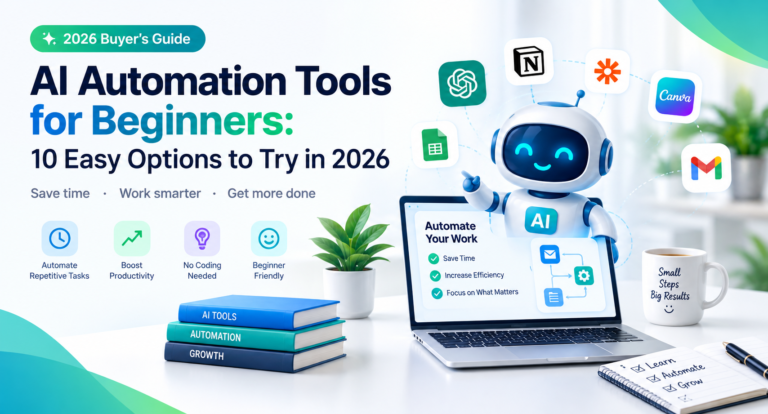
If you are exploring ways to improve your business workflow, start by comparing AI productivity tools, AI automation tools, and small business marketing software to find solutions that fit your goals and budget.
You may like: best-ai-tools-for-youtube-automation
You may like: ai-automation-tools-for-beginners