
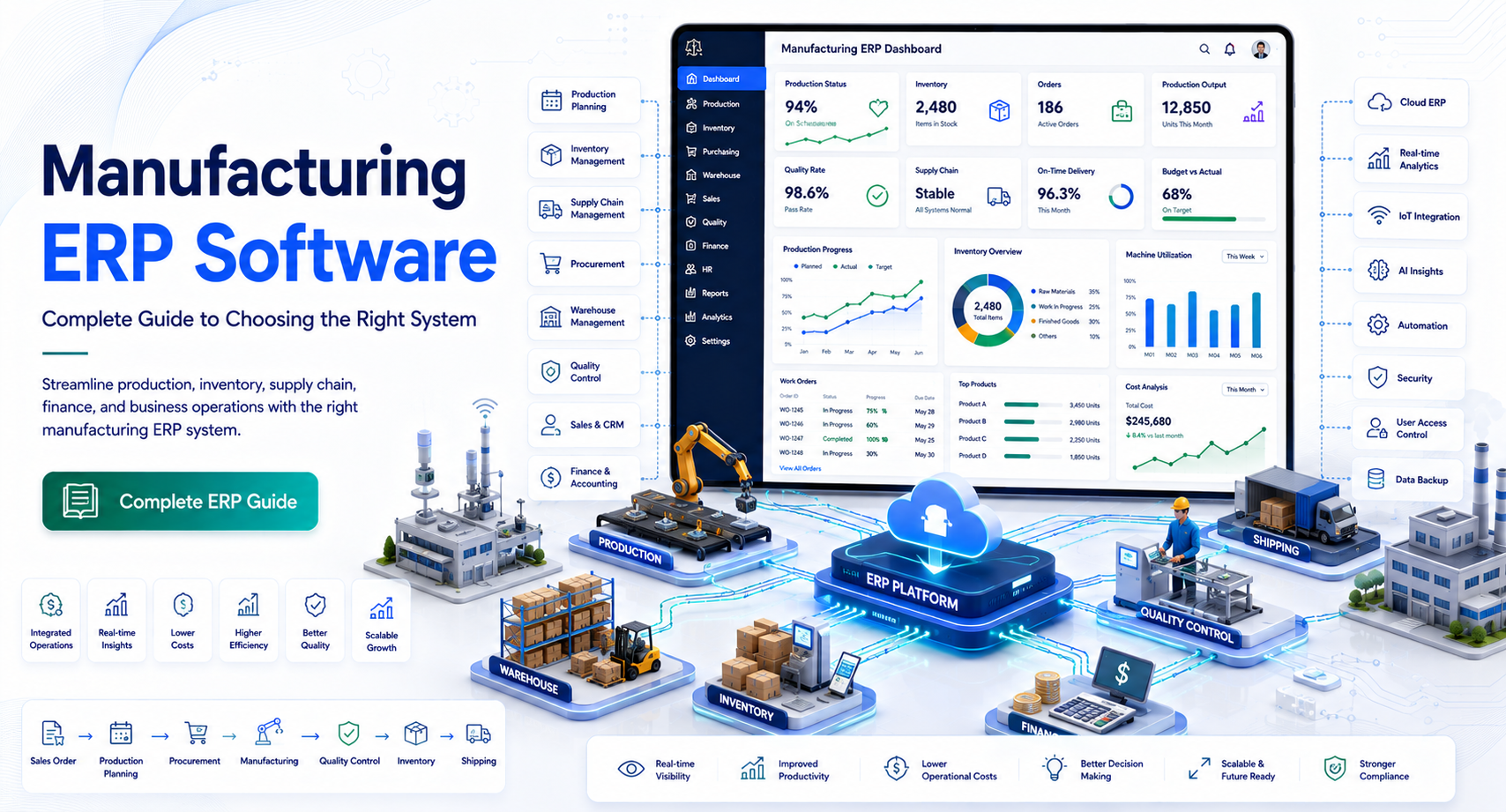
Manufacturing ERP Software: Complete Guide to Choosing the Right System
Manufacturing becomes difficult to manage when production schedules, inventory, purchasing, sales orders, quality records, and financial data live in separate systems.
A production manager may see one inventory number while purchasing sees another. Sales may promise a delivery date without knowing the factory’s actual capacity. Finance may spend days reconciling operational data before closing the books.
These problems are exactly why manufacturers invest in manufacturing ERP software.
A manufacturing ERP system connects core business and production processes in one environment. Instead of relying on disconnected spreadsheets and applications, manufacturers can use shared data to coordinate purchasing, inventory, production, quality, sales, and finance.
But choosing an ERP system is not simply about finding the software with the longest feature list. A system that works well for a large automotive manufacturer may be unnecessarily complex for a growing machine shop.
This guide explains what manufacturing ERP software is, how it works, which features matter most, what benefits manufacturers can realistically expect, and how to evaluate the best ERP software for manufacturing.
What Is Manufacturing ERP Software?
Manufacturing ERP software is an enterprise resource planning system designed to manage and connect the financial, operational, inventory, production, purchasing, sales, and supply-chain activities of a manufacturing business.
ERP stands for Enterprise Resource Planning.
Traditional ERP software manages broad business functions. Manufacturing ERP goes further by supporting production-specific processes such as:
- Bill of materials (BOM)
- Work orders
- Production scheduling
- Material requirements planning (MRP)
- Shop-floor management
- Inventory control
- Quality management
- Routing
- Capacity planning
- Maintenance
- Traceability
The central idea is simple: different departments work from connected operational data instead of maintaining separate versions of the truth.
How Manufacturing ERP Differs From Standard ERP
A general ERP platform may manage accounting, purchasing, sales, and employees.
A manufacturing-focused ERP adds capabilities required to turn raw materials into finished products.
For example:
Customer order → Material requirements → Purchasing → Production → Quality inspection → Finished goods → Shipment → Invoice
An integrated ERP can connect these steps.
Without an integrated system, employees may have to transfer information manually between accounting software, spreadsheets, inventory applications, production systems, and email.
How Manufacturing ERP Software Works
Manufacturing ERP systems typically use a shared database or integrated data architecture.
When one department updates information, other authorized users can work from the updated data.
Consider a manufacturer that receives an order for 500 units.
The ERP system can help determine:
- What materials are required
- What inventory is already available
- What materials need to be purchased
- Which production resources are required
- Whether existing capacity can meet the requested date
- When production should begin
- When finished goods should be available
- What should be invoiced
This does not mean ERP automatically makes every business decision. Instead, it provides the data and workflows needed for people to make better decisions.
Manufacturing ERP Modules
The exact modules vary by vendor, but common components include:
Financial Management
Financial functionality may include:
- General ledger
- Accounts payable
- Accounts receivable
- Cash management
- Budgeting
- Financial reporting
- Cost accounting
Connecting finance with operations can help manufacturers understand the financial impact of production activity.
Inventory Management
Inventory modules track materials and products throughout the organization.
Common capabilities include:
- Stock levels
- Locations
- Lot tracking
- Serial numbers
- Inventory transfers
- Reorder points
- Cycle counting
- Warehouse operations
Production Management
Production management is at the heart of manufacturing ERP.
It may cover:
- Work orders
- Production orders
- Routings
- Work centers
- Labor
- Machine capacity
- Production progress
- Scrap
- Rework
Procurement
Purchasing teams can use ERP data to manage:
- Purchase orders
- Suppliers
- Material requirements
- Lead times
- Supplier pricing
- Receipts
- Vendor performance
Quality Management
Quality functionality can help manufacturers document:
- Inspections
- Nonconformance
- Corrective actions
- Quality checks
- Test results
- Supplier quality
This can be especially important in regulated or highly controlled industries.
Key Features to Look for in Manufacturing ERP Software
The best ERP software for manufacturing is not necessarily the platform with the largest feature list. The right choice depends on your production model, company size, industry, and growth plans.
1. Bill of Materials Management
A BOM defines the components, materials, and quantities required to produce a finished product.
For example:
Finished Product A
- Component 1 — 4 units
- Component 2 — 2 units
- Component 3 — 1 unit
The ERP should allow manufacturers to manage revisions and understand how changes affect production.
For manufacturers with complex products, multi-level BOM support can be particularly important.
2. Material Requirements Planning
MRP helps manufacturers determine what materials are needed and when they are needed.
It can consider:
- Current inventory
- Open purchase orders
- Production orders
- Demand
- Lead times
- BOM requirements
- Safety stock
The goal is to reduce situations where production stops because a relatively inexpensive component was overlooked.
Example
A manufacturer has an order requiring 2,000 finished units.
The ERP identifies that production requires 6,000 fasteners, but only 3,500 are available.
The system can flag the shortage so purchasing can act before the production date arrives.
3. Production Scheduling
Scheduling is one of the most challenging parts of manufacturing.
A useful ERP should help planners understand:
- Machine availability
- Labor availability
- Production priorities
- Material availability
- Work-center capacity
- Due dates
- Changeover requirements
Manufacturers should be cautious about assuming that automated scheduling will eliminate planning problems. Real-world production contains disruptions that software cannot always predict.
ERP should support planners rather than replace operational judgment.
4. Real-Time Inventory Visibility
Inventory accuracy affects nearly every manufacturing process.
A strong ERP system should provide visibility into:
- Raw materials
- Work in progress
- Finished goods
- Reserved inventory
- Available inventory
- Inventory by location
This can reduce unnecessary emergency purchasing and improve production planning.
5. Shop-Floor Data Collection
Modern manufacturing ERP platforms may connect office operations with shop-floor activity.
Employees can record:
- Job starts
- Job completions
- Labor time
- Material consumption
- Scrap
- Downtime
- Production quantities
Depending on the implementation, information can be entered through terminals, tablets, barcode scanners, industrial devices, or integrated manufacturing systems.
This creates better visibility into actual production performance.
6. Quality and Traceability
Traceability is particularly important for manufacturers that need to identify where materials came from and where finished products were shipped.
ERP systems may support:
- Lot tracking
- Serial tracking
- Material genealogy
- Inspection records
- Recall support
- Quality documentation
For food, medical devices, aerospace, automotive, and other controlled industries, traceability requirements can significantly influence ERP selection.
7. Business Intelligence and Reporting
Manufacturers need more than raw transaction data.
ERP reporting can help answer questions such as:
- Which products are most profitable?
- Which jobs are consistently late?
- Where are material shortages occurring?
- Which suppliers have the longest lead times?
- How much scrap are we generating?
- What is our inventory turnover?
- Where is production capacity constrained?
Dashboards can make these metrics easier to monitor, but management should still define the KPIs that matter before configuring dashboards.
Benefits of Manufacturing ERP Software
A well-implemented ERP system can improve visibility and coordination across the manufacturing business.
Better Production Planning
When production planners can see inventory, orders, capacity, and material requirements in one system, scheduling decisions become more informed.
Reduced Manual Data Entry
ERP can eliminate repetitive transfers between spreadsheets and separate applications.
Fewer manual transfers can also reduce opportunities for transcription errors.
Improved Inventory Control
Manufacturers can gain better visibility into inventory levels and movement.
This can support more disciplined purchasing and production decisions.
Stronger Cost Visibility
Manufacturing ERP can connect material, labor, overhead, and production information.
This helps management analyze product and job costs more systematically.
Better Customer Service
Sales teams can use operational information to provide more realistic delivery expectations.
Instead of saying, “We should be able to ship next week,” teams can use production and inventory data to assess whether the requested date is achievable.
Improved Financial Visibility
When operational transactions flow into financial processes, finance teams can gain a more complete picture of business performance.
However, ERP does not eliminate the need for accounting controls or professional financial review.
Manufacturing ERP for Different Types of Manufacturers
There is no universal ERP configuration.
Discrete Manufacturing
Discrete manufacturers produce identifiable products or components.
Examples include:
- Machinery
- Electronics
- Automotive components
- Industrial equipment
- Furniture
Important ERP capabilities may include BOMs, routings, work orders, serial tracking, and capacity planning.
Process Manufacturing
Process manufacturers typically work with formulas, recipes, batches, or continuous production.
Examples include:
- Chemicals
- Food and beverage
- Pharmaceuticals
- Cosmetics
They may require strong batch management, formula management, quality controls, and traceability.
Job Shop Manufacturing
Job shops produce customized or low-volume products.
They often need flexible scheduling, job costing, estimating, routing, and work-order management.
Mixed-Mode Manufacturing
Some manufacturers use more than one production model.
For example, a company might manufacture standard products while also accepting customized orders.
These businesses should evaluate whether an ERP can support different production workflows without creating excessive complexity.
Cloud vs. On-Premises Manufacturing ERP
One of the major decisions is how the ERP will be deployed.
Cloud ERP
Cloud ERP is hosted by the software provider and accessed over a network.
Potential advantages include:
- Remote access
- Less infrastructure management
- Easier centralized updates
- Predictable subscription pricing
- Faster access to new features
However, organizations should investigate internet dependency, data ownership, security controls, integration options, and contractual terms.
On-Premises ERP
With on-premises ERP, the organization generally hosts and manages the software infrastructure itself.
Potential benefits can include greater control over infrastructure and certain customization requirements.
The tradeoff is that the company takes greater responsibility for:
- Servers
- Backups
- Maintenance
- Security
- Updates
- Disaster recovery
Neither deployment model is automatically better. The right choice depends on operational, technical, financial, and compliance requirements.
How to Choose the Best ERP Software for Manufacturing
ERP selection should begin with business requirements rather than vendor demos.
Step 1: Document Your Current Processes
Map important workflows such as:
Quote → Order → Planning → Purchasing → Production → Quality → Shipping → Invoicing
Identify where delays, duplicate data entry, and manual work occur.
Step 2: Define Must-Have Features
Separate requirements into:
Must Have
Features required for the business to operate.
Should Have
Features that provide meaningful improvements but are not essential.
Nice to Have
Features that are useful but should not drive the purchase decision.
This prevents vendors from winning the evaluation simply by presenting a long feature list.
Step 3: Evaluate Industry Fit
Ask potential vendors whether they have experience with manufacturers similar to your organization.
Consider:
- Industry
- Company size
- Production type
- Product complexity
- Regulatory requirements
- Geographic footprint
- Number of facilities
A system can be technically capable but still be a poor fit if its workflows do not match your manufacturing environment.
Step 4: Test Real Scenarios
Do not rely only on generic demonstrations.
Give vendors realistic scenarios.
For example:
“A customer changes an order after production begins. Show us how the system handles the revised BOM, material availability, production schedule, costing, and customer delivery date.”
This reveals much more about the system than a standard feature presentation.
Step 5: Evaluate Integrations
Manufacturing ERP rarely operates completely alone.
You may need integrations with:
- CRM
- E-commerce
- Payroll
- Shipping
- CAD/PDM
- Warehouse management
- Manufacturing execution systems
- Business intelligence
- EDI platforms
Ask vendors about supported APIs, integration methods, implementation responsibilities, and ongoing costs.
Manufacturing ERP Implementation: What to Expect
ERP implementation is often more difficult than selecting the software.
A typical implementation may involve:
Planning → Process mapping → Data preparation → Configuration → Integration → Testing → Training → Go-live → Optimization
Data Migration
Historical data may include:
- Customers
- Vendors
- Items
- BOMs
- Inventory
- Open orders
- Financial records
Poor data quality can create problems after implementation.
Before migration, clean duplicate, obsolete, and incomplete records wherever practical.
Employee Training
ERP changes how people work.
Training should be role-specific.
A purchasing employee does not need the same training as a production planner or finance manager.
Start With Core Processes
Avoid trying to automate every process on day one.
A phased approach can reduce implementation risk.
For example:
Phase 1: Finance + purchasing + inventory
Phase 2: Production + MRP
Phase 3: Quality + advanced analytics
The appropriate approach depends on the organization and ERP platform.
Common Manufacturing ERP Mistakes to Avoid
Choosing Based on Features Alone
A long feature list does not guarantee operational fit.
Underestimating Data Cleanup
Poor master data can undermine an otherwise capable ERP.
Excessive Customization
Customization can be useful, but excessive customization can increase implementation costs and make future upgrades more difficult.
Ignoring User Experience
If employees find the system difficult to use, adoption can suffer.
Failing to Define KPIs
Decide what success means before implementation.
Useful manufacturing KPIs may include:
- On-time delivery
- Inventory turnover
- Scrap rate
- Production cycle time
- Schedule adherence
- Overall equipment effectiveness
- Order fulfillment rate
Manufacturing ERP Software Cost
Manufacturing ERP pricing varies considerably.
Costs may include:
- Software licenses or subscriptions
- Implementation
- Data migration
- Integration
- Customization
- Training
- Support
- Hardware
- Ongoing administration
Cloud ERP may use subscription pricing based on users, modules, transactions, or other factors.
On-premises systems may involve larger upfront infrastructure and licensing expenses.
A realistic ERP budget should consider total cost of ownership, not just the software subscription.
Questions to Ask About Pricing
Before signing a contract, ask:
- Is pricing per user?
- Are shop-floor users licensed differently?
- Are modules priced separately?
- What implementation services are required?
- Are integrations included?
- Are upgrades included?
- What support level is included?
- Are there minimum contract terms?
- How does pricing change as the company grows?
Frequently Asked Questions
What is manufacturing ERP software?
Manufacturing ERP software is a business management system designed to connect manufacturing operations with functions such as accounting, inventory, purchasing, sales, production planning, quality, and supply-chain management.
What is the best ERP software for manufacturing?
The best ERP depends on the manufacturer’s size, production method, industry, budget, integrations, and operational requirements. A system that works well for a large process manufacturer may not be appropriate for a small discrete manufacturer or job shop.
How does ERP help manufacturing companies?
ERP can connect production, inventory, purchasing, sales, and financial data. This can improve operational visibility, reduce duplicate data entry, support material planning, and provide better information for production and business decisions.
How much does manufacturing ERP software cost?
Manufacturing ERP costs vary based on users, modules, deployment model, implementation requirements, integrations, customization, and support. Businesses should compare total cost of ownership rather than looking only at the subscription or license price.
Is cloud ERP good for manufacturing?
Cloud ERP can be a strong option for manufacturers that want remote access, centralized infrastructure, and less responsibility for maintaining servers. However, manufacturers should evaluate connectivity, security, integration, customization, data ownership, and vendor terms before selecting a cloud platform.
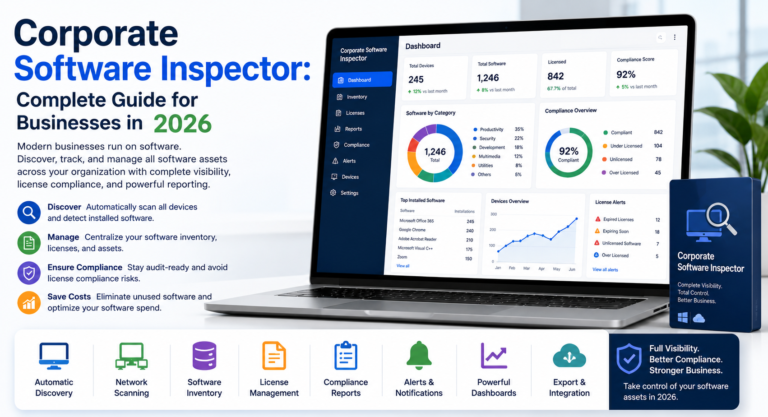
May you like : Corporate Software Inspector: Complete Guide for Businesses in 2026
Conclusion
Manufacturing ERP software can become the operational backbone of a manufacturing company by connecting production, inventory, purchasing, quality, sales, and finance.
The biggest benefit is not simply having more software. It is having reliable business information available across departments so people can make better decisions.
When evaluating the best ERP software for manufacturing, focus on your actual production environment. Consider your manufacturing model, BOM complexity, inventory requirements, scheduling process, quality needs, reporting requirements, integrations, and future growth.
Do not choose a platform solely because it has the most features or the lowest initial price.
Start by mapping your current processes, defining must-have requirements, identifying operational problems, and testing shortlisted ERP systems using realistic manufacturing scenarios. That approach gives your team a much stronger foundation for selecting a system that can support the business for years rather than simply solving today’s software problems.
One Comment