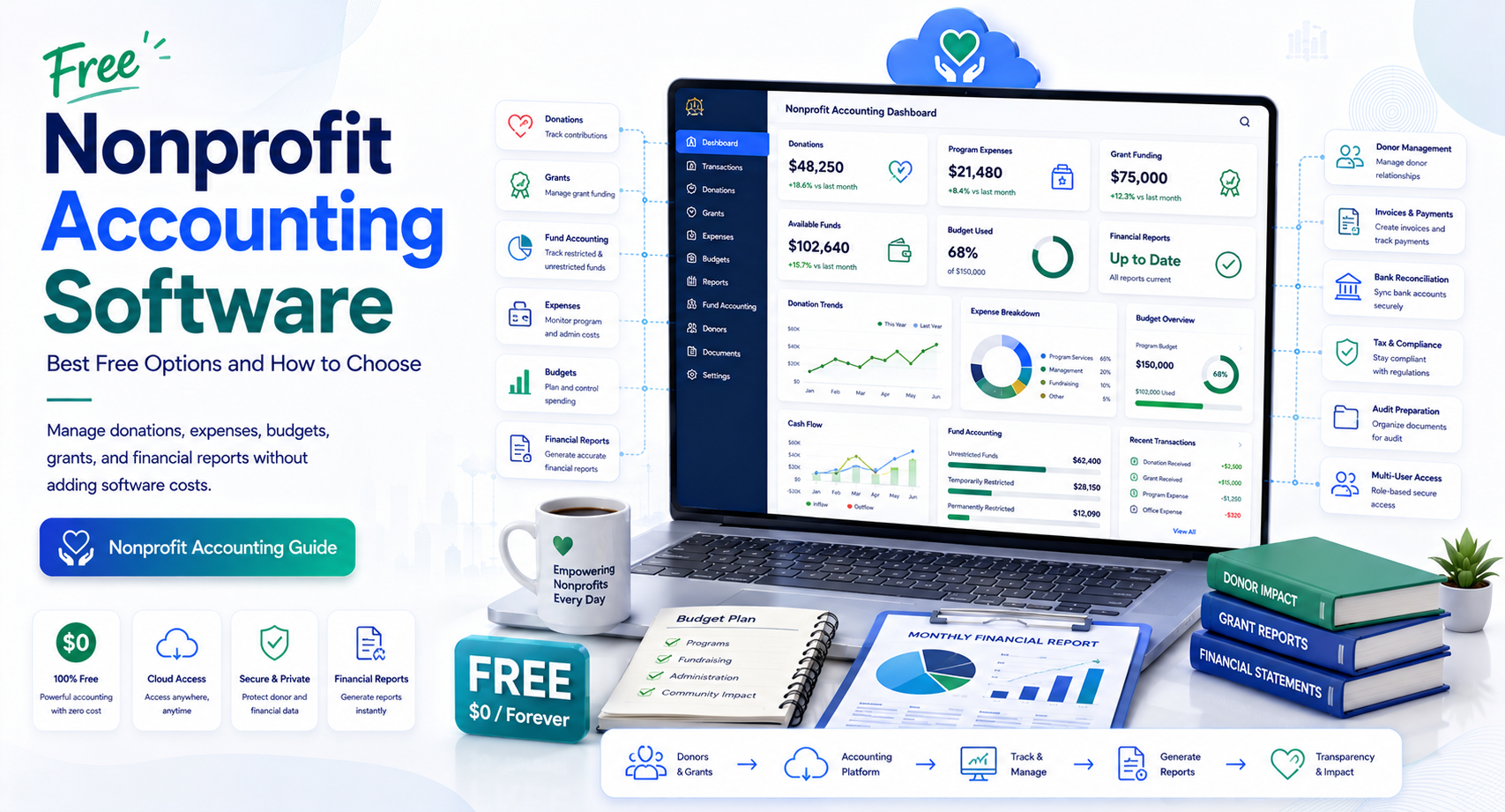
Free Nonprofit Accounting Software: Best Free Options and How to Choose
When every dollar is tied to a mission, spending money on accounting tools can feel difficult to justify. A small nonprofit may have donations to track, bills to pay, grants to manage, and financial reports to prepare—all while working with a limited budget and a volunteer or part-time finance team.
That makes free nonprofit accounting software an attractive option.
But there is an important distinction between software that is genuinely free and software that is simply free for a limited period. Some platforms offer permanent free plans with basic bookkeeping features. Others provide free trials, nonprofit discounts, or free tools that require a paid upgrade for advanced accounting.
For U.S. nonprofits, the decision should go beyond price. Your accounting system needs to produce reliable records, support appropriate financial controls, and help your organization understand where money comes from and where it goes.
This guide explains how free accounting software for nonprofits works, what features matter most, where free tools can fall short, and when paying for nonprofit-specific accounting software makes more sense.
What Is Free Nonprofit Accounting Software?
Free nonprofit accounting software is an accounting or financial management platform that a nonprofit can use without paying a recurring software subscription, either permanently or under a specific free plan.
Depending on the product, free software may include features such as:
- Income and expense tracking
- General ledger management
- Bank reconciliation
- Financial reports
- Invoicing
- Budget tracking
- Donation records
- Basic user management
- Data exports
- Receipt or document storage
However, not every free product is designed specifically for nonprofit organizations.
A general small-business accounting application may handle income and expenses effectively but lack nonprofit-specific capabilities such as fund accounting, restricted-fund tracking, grant reporting, or donor management.
Is Free Accounting Software Enough for a Nonprofit?
It can be enough for a very small organization with straightforward finances.
For example, a new community nonprofit with one bank account, limited transactions, no employees, and uncomplicated donations may be able to operate effectively with a basic free accounting system.
The situation changes when the organization receives restricted grants, manages multiple programs, has employees, prepares detailed board reports, or needs stronger audit controls.
The goal should not be to find the cheapest software. It should be to find the lowest-cost system that still produces accurate, useful financial records.
Why Nonprofits Need Accounting Software
Nonprofits have the same basic accounting needs as other organizations, but their reporting requirements and financial structure can be different.
A nonprofit needs to know whether money is being spent according to its purpose, whether grants are being used appropriately, and whether financial information can be supported with reliable documentation.
The IRS states that exempt organizations must maintain books and records needed to demonstrate compliance with tax rules and support reported receipts and expenditures.
That makes recordkeeping an operational responsibility—not simply an administrative preference.
Track Income and Expenses
At a minimum, your accounting system should help answer:
- How much money did we receive?
- Where did the money come from?
- What did we spend?
- Which program incurred the expense?
- How much cash is available?
- Are we staying within budget?
A structured accounting system is much more reliable than maintaining these records across disconnected spreadsheets.
Support Financial Reporting
Nonprofit boards, donors, grantmakers, accountants, and management may all need financial information.
Useful reports can include:
- Statement of activities
- Statement of financial position
- Cash flow reports
- Budget versus actual reports
- Program expense reports
- Grant reports
- General ledger reports
The exact reports required will depend on the organization’s structure and reporting needs.
Maintain an Audit Trail
A nonprofit should be able to explain its financial transactions.
The IRS notes that records can include trial balances, general ledgers, bank statements, receipts, invoices, contracts, and other supporting documentation during an examination.
A good accounting system makes it easier to connect transactions with supporting documentation.
Key Features to Look for in Free Accounting Software for Nonprofits
Choosing free software based only on its price can create problems later. Instead, evaluate the features against your organization’s actual financial workflow.
1. Nonprofit-Friendly Chart of Accounts
A chart of accounts organizes financial transactions into categories.
A nonprofit may need accounts for:
- Donations
- Grants
- Program expenses
- Administrative expenses
- Fundraising expenses
- Payroll
- Rent
- Supplies
- Restricted funds
- Unrestricted funds
The system should allow enough flexibility to organize finances without creating an unnecessarily complicated chart of accounts.
2. Fund and Program Tracking
This is one of the most important areas to investigate.
Not every free accounting application supports true nonprofit fund accounting.
If your nonprofit receives money that must be used for a specific purpose, you need a reliable way to track it separately.
For example:
A foundation provides $25,000 specifically for an after-school program.
The organization should be able to determine how much of that funding has been received, how much has been spent on eligible activities, and what remains available.
A simple income-and-expense system may not handle this properly without additional processes.
Restricted vs. Unrestricted Funds
Nonprofits commonly need to distinguish between funds that have restrictions and funds that can be used more broadly.
This distinction matters because showing that the organization has $100,000 in its bank account does not necessarily mean it can spend all $100,000 on any purpose.
If the software cannot represent your financial structure properly, a “free” system may create significant manual work.
3. Bank Reconciliation
Bank reconciliation compares accounting records with actual bank activity.
A good reconciliation process can identify:
- Missing transactions
- Duplicate entries
- Bank fees
- Incorrect amounts
- Outstanding checks
- Timing differences
For small nonprofits, this feature can save substantial administrative time.
4. Financial Reporting
Look for software that can produce reports your organization actually uses.
At minimum, consider whether it supports:
- Income and expense reports
- Balance sheet or statement of financial position
- Budget reports
- General ledger
- Transaction details
- Custom reporting
If your nonprofit works with grants, check whether reports can be filtered by program, fund, project, or other dimensions.
5. Multiple Users and Permissions
A nonprofit may have a volunteer treasurer, executive director, bookkeeper, accountant, and board members who need different levels of access.
Ideally, the system should let you control who can:
- Enter transactions
- Approve transactions
- Reconcile accounts
- View reports
- Modify settings
- Export data
Separating responsibilities can improve financial controls.
6. Data Export and Backup
Never choose accounting software without understanding how you can retrieve your data.
Look for practical export options such as:
- CSV
- Excel-compatible files
- PDF reports
- General ledger exports
- Transaction exports
You should also understand what happens to your data if the free plan ends or the provider changes its pricing.
Internal linking opportunity: Link to a guide covering cloud accounting software vs. desktop accounting software.
Best Free Accounting Software for Nonprofits: What to Compare
There is no single best option for every nonprofit.
Current software directories show several products marketed toward nonprofit and volunteer-led organizations, while other free tools are designed primarily for general bookkeeping.
The right choice depends on your organization’s size and accounting complexity.
Free Bookkeeping Tools
A basic free bookkeeping platform may work well when you have:
- A small number of transactions
- Simple income sources
- Few bank accounts
- No complicated restricted funds
- A financially experienced volunteer or bookkeeper
The advantage is simplicity.
The limitation is that the software may not understand nonprofit accounting structures.
Free or Open-Source Accounting Software
Open-source or desktop accounting applications can be attractive because they may avoid subscription costs.
They can work particularly well for technically comfortable organizations that want control over their accounting data.
However, consider:
- Backup responsibility
- Multi-user access
- Cloud collaboration
- Technical support
- Security updates
- Reporting limitations
A free application is not necessarily free from administrative costs.
Nonprofit-Specific Software
Purpose-built nonprofit platforms typically offer features such as:
- Fund accounting
- Donor management
- Grant tracking
- Fundraising
- Program reporting
- Nonprofit-specific financial reports
These systems are often paid, although some vendors offer trials, discounts, or limited free plans.
For organizations with more complex finances, paying for these capabilities may be more economical than building manual workarounds around a basic free product.
Free vs. Paid Nonprofit Accounting Software
The decision becomes easier when you compare the total value rather than the monthly subscription.
| Factor | Free Software | Paid Nonprofit Software |
| Subscription cost | Low or none | Monthly or annual cost |
| Basic bookkeeping | Often available | Usually available |
| Fund accounting | May be limited | More commonly supported |
| Grant tracking | Often limited | Usually stronger |
| Donor management | Varies | Often available |
| Advanced reporting | May be limited | Generally stronger |
| Support | May be limited | Usually more extensive |
| Automation | Basic to moderate | Often more extensive |
| Scalability | Depends on product | Generally stronger |
| Implementation | Usually simple | May require setup |
The important question is:
Will the free system still work when the organization grows?
If moving to another platform six months later requires rebuilding your chart of accounts, importing historical transactions, and reconstructing donor or grant records, the initial savings may not be worth the disruption.
How to Choose Free Nonprofit Accounting Software
Before signing up for any platform, evaluate your organization in a structured way.
Step 1: Identify Your Accounting Complexity
Ask:
- How many bank accounts do we have?
- How many transactions occur each month?
- Do we receive grants?
- Do we have restricted donations?
- Do we employ staff?
- Do we need payroll?
- Do we operate multiple programs?
- Do we need donor tracking?
- Who will maintain the books?
A five-person nonprofit with one checking account has very different requirements from an organization operating several programs with multiple restricted grants.
Step 2: List Your Required Reports
Do not choose software until you know what reports your treasurer, board, accountant, or grantmakers need.
For example, your board may need:
Budget vs. Actual → Program Expenses → Cash Position → Restricted Funds → Year-to-Date Results
If the software cannot produce these reports without manual spreadsheet work, it may not be the right choice.
Step 3: Test the Free Plan Carefully
“Free” can mean several different things:
- Free forever
- Free with feature limitations
- Free for a certain number of users
- Free below a transaction limit
- Free trial
- Free nonprofit discount
Read the pricing terms carefully.
Pay particular attention to:
- User limits
- Transaction limits
- Bank integrations
- Reporting restrictions
- Data export
- Storage limits
- Customer support
- Upgrade requirements
A free trial should not be treated as a permanent free accounting solution.
Step 4: Consider Your Future Needs
Imagine your organization two years from now.
Perhaps today you have:
$50,000 annual budget → 2 users → 1 program
But your fundraising strategy could eventually produce:
$500,000 annual budget → 6 users → 4 programs → multiple grants
The software should either accommodate that growth or make migration relatively straightforward.
Common Mistakes When Choosing Free Accounting Software
Choosing Based Only on Price
The cheapest option is not necessarily the lowest-cost option.
If volunteers spend several hours every month manually correcting reports, the organization is still paying for the system through staff time.
Using Spreadsheets as a Permanent Accounting System
Spreadsheets can be useful for budgets and analysis, but they can become difficult to control as transaction volume increases.
Version conflicts, accidental formula changes, and manual data entry can create errors.
Ignoring Restricted Funds
This is a particularly important mistake.
If the organization receives restricted donations or grants, confirm that the accounting process can track restrictions appropriately.
Forgetting Data Portability
Before committing to a platform, determine whether you can export your financial information.
A nonprofit should avoid becoming dependent on a system from which it cannot easily retrieve its own records.
Giving Everyone Full Access
Financial software should not automatically give every employee or volunteer unrestricted access.
Use role-based permissions where available and establish appropriate approval procedures.
U.S. Nonprofit Accounting and Recordkeeping Considerations
For organizations operating in the United States, accounting software should support a sound recordkeeping process.
The IRS does not prescribe one specific recordkeeping format for exempt organizations. However, organizations must maintain records needed to demonstrate compliance and support their financial reporting.
The IRS also explains that electronic accounting records are subject to the same underlying recordkeeping requirements as hard-copy records and should provide a complete and accurate record that can be accessed when required.
That means switching to free software does not reduce the organization’s responsibility for maintaining accurate records.
Form 990 Considerations
Many U.S. tax-exempt organizations have federal filing obligations that involve financial information.
Your accounting software does not necessarily need to prepare Form 990 itself. However, it should make it easier for your accountant or finance team to obtain accurate underlying figures.
Keep in mind that nonprofit tax and reporting requirements can vary based on the organization’s structure and activities.
For complex organizations, it is sensible to have a qualified nonprofit accountant review the accounting setup.
Internal linking opportunity: Add an internal link to a detailed guide on Form 990 accounting requirements for nonprofits.
When Free Nonprofit Accounting Software Is the Right Choice
Free accounting software can be a sensible starting point when your nonprofit:
- Is newly established
- Has a small operating budget
- Has uncomplicated finances
- Has limited users
- Has few bank accounts
- Does not require complex fund accounting
- Has someone capable of maintaining the books
- Can export and preserve its financial records
For these organizations, paying for advanced functionality may not provide enough value yet.
The key is to establish good accounting practices from the beginning.
When You Should Upgrade to Paid Software
A paid platform becomes easier to justify when your nonprofit:
- Manages restricted grants
- Operates multiple programs
- Needs fund accounting
- Has several bank or credit accounts
- Employs staff
- Requires payroll integration
- Needs detailed board reporting
- Has multiple finance users
- Requires stronger permissions
- Needs automated workflows
- Has significant transaction volume
In these circumstances, the cost of software may be small compared with the time required to maintain accurate records manually.
Frequently Asked Questions
Is there truly free accounting software for nonprofits?
Yes. Some accounting and financial management products offer permanent free plans or free versions. However, availability and feature limits vary. Some products listed as “free” are actually free trials or provide only a limited subset of accounting features. Always verify the current pricing and terms before choosing a platform.
What is the best free accounting software for nonprofits?
The best option depends on the nonprofit’s size and accounting requirements. A basic free bookkeeping tool may be suitable for a small organization with simple finances, while a nonprofit managing grants, restricted funds, and multiple programs may need purpose-built fund accounting software.
Can nonprofits use free small-business accounting software?
Yes, but compatibility should be evaluated carefully. General small-business accounting software may handle basic bookkeeping well but may not provide nonprofit-specific fund accounting, grant tracking, or reporting capabilities.
Does free nonprofit accounting software support fund accounting?
Some products do, but many free accounting tools do not provide full fund-accounting functionality. If your organization receives restricted grants or donations, verify this capability before migrating your books.
Is free accounting software safe for a nonprofit?
It can be, provided the provider has appropriate security controls and the nonprofit follows good practices for user permissions, passwords, backups, data exports, and access management. Security should be evaluated alongside accounting functionality rather than treated as an afterthought.
May you like : Corporate Software Inspector: Complete Guide for Businesses in 2026
Conclusion
Free nonprofit accounting software can be a practical solution for small U.S. nonprofits that need reliable bookkeeping without adding another recurring expense. The right free platform can help track income, expenses, bank activity, budgets, and financial reports while giving a growing organization a structured accounting foundation.
However, free does not automatically mean suitable.
Before choosing free accounting software for nonprofits, evaluate fund tracking, reporting, bank reconciliation, user permissions, data exports, security, and future scalability. Most importantly, make sure the software can represent the way your nonprofit actually receives and spends money.
For a very small organization with straightforward finances, a free platform may be all you need. If your nonprofit manages restricted grants, multiple programs, payroll, or complex reporting, a paid nonprofit accounting system may ultimately save more time and reduce financial risk.
The best next step is to document your current accounting requirements, identify the reports your organization needs, and test free options against those requirements before moving your financial records.