Asset Management Software: Complete Guide to Features, Benefits, and Choosing the Right Solution in 2026
Managing business assets becomes increasingly difficult as an organization grows. Equipment gets moved between departments, maintenance dates are missed, licenses expire, and employees struggle to find accurate asset records. Spreadsheets may work initially, but they become harder to maintain when hundreds or thousands of assets are involved.
This is where asset management software becomes useful.
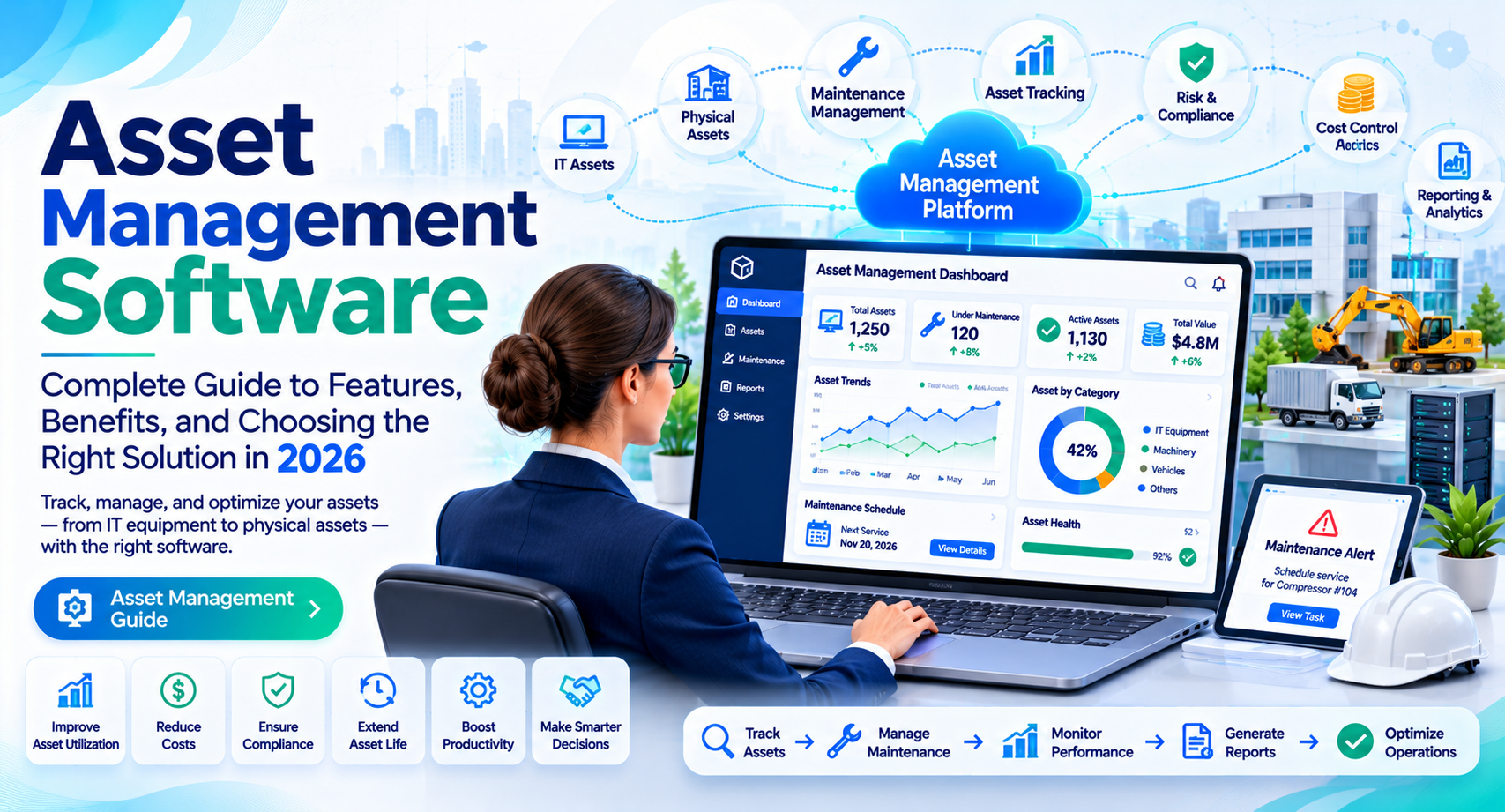
It gives businesses a centralized way to track physical equipment, monitor asset conditions, schedule maintenance, and manage the complete asset lifecycle. Depending on the platform, it can also help organizations manage software licenses, IT devices, vehicles, and other valuable resources.
In this guide, we explain what asset management software is, how it works, its essential features, and how to choose a solution that fits your business requirements.
What Is Asset Management Software?
Asset management software is a digital platform that helps businesses record, track, maintain, and manage their assets throughout their useful life.
An asset can be almost anything an organization owns or uses to operate, including:
- Computers, laptops, and IT equipment.
- Manufacturing machinery and production tools.
- Company vehicles and transportation equipment.
- Office furniture and electronic devices.
- Medical equipment and hospital machinery.
- Software licenses and digital resources.
- Buildings and other physical infrastructure.
For example, a manufacturing company may use asset management software to record machine details, track maintenance history, monitor equipment locations, and plan inspections.
Instead of maintaining separate spreadsheets and paper records, employees can access relevant asset information through one system.
The primary goal is to improve asset visibility, reduce unnecessary expenses, and make better decisions about equipment and resources.
Types of Asset Management Software
Different businesses manage different types of assets. Understanding the main categories helps you identify which solution is appropriate.
1. Enterprise Asset Management (EAM) Software
Enterprise Asset Management software helps organizations manage physical assets throughout their lifecycle, from acquisition and installation to maintenance and disposal.
It is commonly used in manufacturing, utilities, transportation, healthcare, and other asset-intensive industries.
Typical capabilities include maintenance planning, work order management, asset performance tracking, and lifecycle cost analysis.
2. IT Asset Management (ITAM) Software
IT asset management software focuses on technology resources used by an organization.
It helps IT departments track computers, servers, mobile devices, software licenses, and other technology-related assets.
Common applications include:
- Hardware inventory management
- Software license tracking
- Device assignment records
- IT asset lifecycle management
- Software usage monitoring
3. Fixed Asset Management Software
Fixed asset management software helps businesses maintain financial and operational records for long-term assets.
It may support depreciation calculations, asset valuation, financial reporting, and disposal records.
This type of software is particularly useful for accounting teams and organizations that manage substantial equipment or property portfolios.
4. Maintenance and Asset Tracking Software
Some platforms focus primarily on equipment maintenance and physical asset tracking.
They help businesses monitor asset locations, schedule preventive maintenance, manage repair requests, and maintain service histories.
These systems are often used by facilities teams, property managers, and maintenance departments.
Key Features of Asset Management Software
Not every platform includes the same capabilities. However, several features are particularly important when evaluating asset management solutions.
1. Centralized Asset Tracking
Asset tracking allows businesses to maintain detailed records of their equipment and resources.
Typical asset records include:
- Asset name and identification number
- Purchase date and purchase price
- Current location
- Assigned employee or department
- Warranty information
- Condition and maintenance history
Many platforms also support barcode or QR code scanning. Employees can scan an asset label to access its information without manually searching through records.
2. Preventive Maintenance Management
Unexpected equipment failures can interrupt operations and increase repair expenses.
Preventive maintenance features help organizations schedule inspections, servicing, and routine repairs before problems become serious.
For example, a factory can schedule regular maintenance for production machinery based on usage hours or calendar dates.
Some advanced platforms also support condition-based or predictive maintenance using equipment data and analytics.
3. Work Order Management
Work order management helps maintenance teams organize repair and service activities.
Employees can submit maintenance requests, assign technicians, track progress, and record completed work.
This creates a clear history of maintenance activities and makes it easier to identify recurring equipment problems.
4. Reporting and Analytics
Reporting tools help managers understand how assets are performing and where money is being spent.
Useful reports may include:
- Asset utilization
- Maintenance expenses
- Equipment downtime
- Repair history
- Asset lifecycle costs
- Depreciation records
These insights can help businesses identify underused equipment, recurring repair costs, and assets that may need replacement.
5. User Access and Permissions
Large organizations often have multiple departments working with the same asset information.
Role-based permissions allow administrators to control who can view, edit, approve, or manage specific records.
This helps protect sensitive business information and reduces the risk of unauthorized changes.
6. Integration and Mobile Access
Modern asset management platforms may connect with accounting systems, ERP software, procurement applications, and maintenance management tools.
Mobile access is also useful for employees who work outside the office. Technicians can update equipment records, check work orders, and report maintenance issues from supported mobile devices.
Benefits of Using Asset Management Software
A properly implemented asset management system can improve operational visibility and help organizations use their resources more effectively.
Better Asset Visibility
Businesses can see what assets they own, where they are located, and which departments or employees use them.
This reduces confusion when equipment moves between locations or teams.
Reduced Maintenance Costs
Preventive maintenance helps organizations identify potential equipment problems before they result in major failures.
Although maintenance costs cannot be eliminated, better planning may reduce avoidable emergency repairs and downtime.
Improved Asset Utilization
Asset utilization reports help managers identify equipment that is frequently unused or unnecessarily duplicated.
For example, a company may discover that one department has spare laptops while another regularly purchases additional devices.
Better visibility can support more informed purchasing decisions.
More Organized Financial Records
Asset management systems can maintain purchase information, depreciation records, warranties, and disposal details.
This makes it easier for finance teams to access accurate asset information when preparing reports.
For US businesses, fixed asset accounting should follow applicable accounting standards and tax rules. Software calculations should be reviewed against the organization’s accounting policies.
Better Compliance and Audit Preparation
Many industries require organizations to maintain accurate equipment records, inspection histories, and maintenance documentation.
A centralized system can make these records easier to retrieve during internal reviews and external audits.
However, the software itself does not guarantee regulatory compliance. Organizations must configure processes according to the rules applicable to their industry.
How to Choose the Right Asset Management Software
Choosing the right platform requires understanding your assets, workflows, and long-term business requirements.
1. Identify the Assets You Need to Manage
Start by listing the assets your organization wants to track.
Do you mainly manage IT equipment, manufacturing machinery, company vehicles, or financial fixed assets?
Some platforms specialize in one category, while others offer broader asset management capabilities.
2. Evaluate Essential Features
Create a list of features your team actually needs.
For example:
| Business Requirement | Useful Software Feature |
| Track equipment locations | Asset tracking |
| Schedule routine servicing | Preventive maintenance |
| Manage repair requests | Work order management |
| Monitor equipment expenses | Reporting and analytics |
| Track computers and licenses | IT asset management |
| Maintain financial records | Depreciation tracking |
Avoid paying for advanced features that your organization will not use.
3. Check Ease of Use
A complicated platform can make employees less likely to update asset records.
Request a demonstration and test common activities, such as adding an asset, scanning a QR code, creating a work order, and generating a report.
4. Review Integrations and Scalability
Check whether the platform works with your existing accounting, ERP, procurement, and maintenance systems.
Also consider whether it can support additional employees, locations, and assets as your business grows.
5. Compare Pricing and Support
Software pricing may depend on the number of users, assets, modules, or locations.
Ask vendors about implementation fees, training, data migration, integrations, customer support, and contract conditions.
Compare the total ownership cost rather than choosing a platform based only on its starting subscription price.
Frequently Asked Questions
What is asset management software used for?
Asset management software helps businesses track equipment, monitor asset conditions, schedule maintenance, manage records, and analyze asset performance throughout the asset lifecycle.
Who needs asset management software?
Manufacturers, hospitals, construction companies, IT departments, schools, property managers, and other organizations use asset management software to manage valuable equipment and resources.
What is the difference between asset management and inventory management software?
Asset management focuses on tracking and maintaining valuable assets throughout their useful life. Inventory management focuses on monitoring stock levels, product quantities, storage, and movement of goods.
Some platforms include both capabilities.
Is asset management software suitable for small businesses?
Yes. Small businesses can use asset management software to track computers, office equipment, tools, vehicles, and other resources. Many solutions offer basic plans suitable for smaller teams.
How much does asset management software cost?
Pricing varies depending on the provider, number of users, assets, features, and deployment model. Some vendors offer affordable subscription plans, while enterprise solutions require custom pricing. Request a quote based on your actual requirements.
Conclusion
Asset management software helps businesses maintain accurate asset records, organize maintenance activities, monitor equipment performance, and make better resource decisions.
The right solution depends on what your organization manages. IT departments may need hardware and software tracking, while manufacturers may require advanced maintenance and equipment lifecycle management.
Before choosing a platform, identify your asset management challenges, compare essential features, and evaluate integration options and total costs.
Start with the requirements that matter most to your business. You can also explore related guides on enterprise asset management software, IT asset management software, and preventive maintenance software to understand which solution best supports your operational goals.
You may like: best-ai-tools-for-youtube-automation
You may like: ai-automation-tools-for-beginners