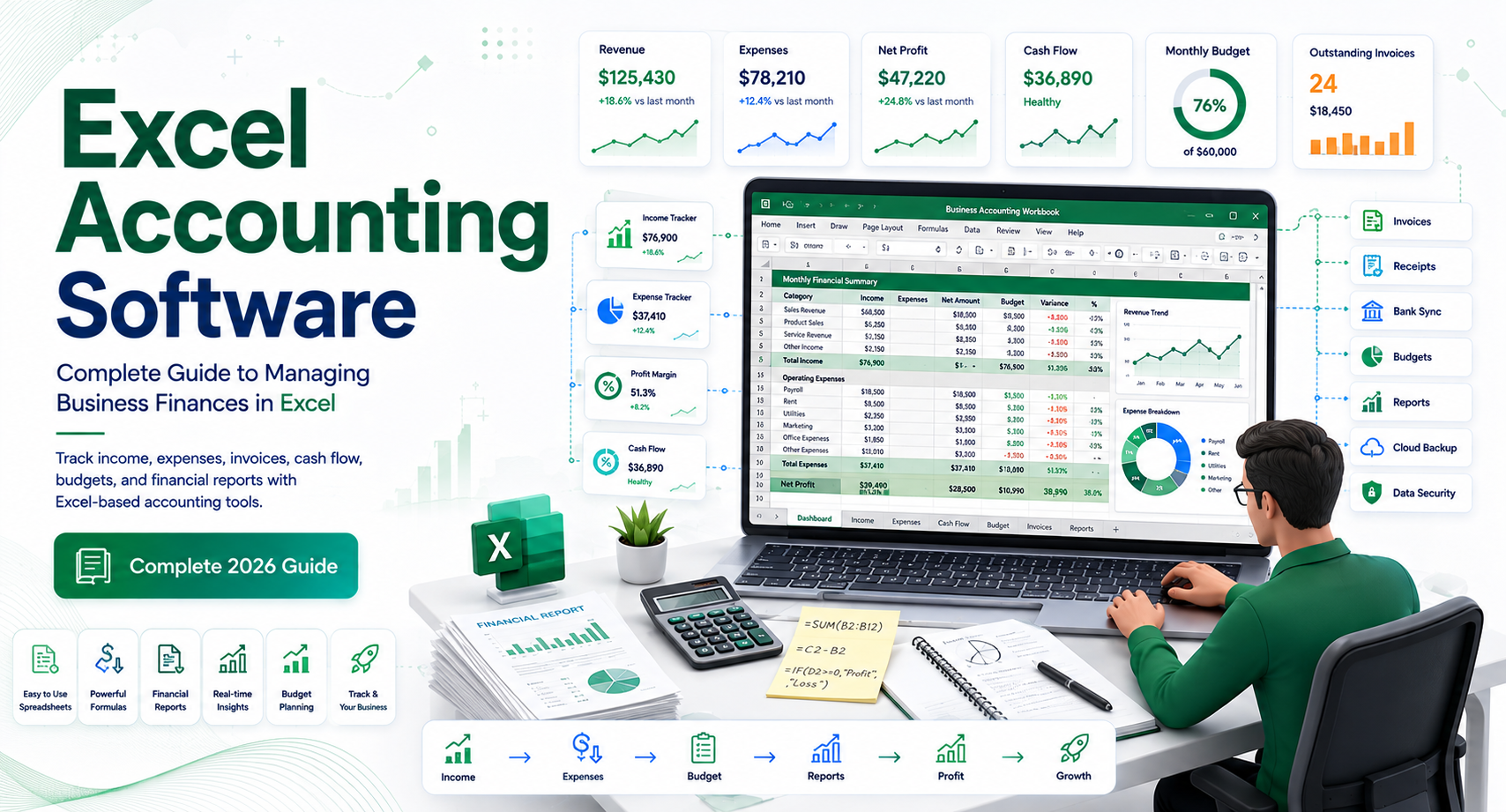
Excel Accounting Software: Complete Guide to Managing Business Finances in Excel
Managing business finances does not always require an expensive accounting platform. For freelancers, startups, and very small businesses, Microsoft Excel can be a practical way to track income, expenses, invoices, cash flow, and basic financial reports.
But there is an important distinction: Excel is a spreadsheet application, not dedicated accounting software.
That difference becomes increasingly important as a business grows. A simple spreadsheet may work when you have a few dozen transactions each month. Once you start handling hundreds of transactions, multiple bank accounts, employees, inventory, sales tax, or several people accessing financial records, spreadsheets can become difficult to maintain.
So, is excel accounting software a good option for your business? Can you manage bookkeeping using free accounting software in Excel? What features should an Excel accounting system include, and when should you move to dedicated accounting software?
This guide explains how to use Excel for accounting, what you can track, the benefits and limitations, useful spreadsheet structures, security considerations, and when switching to dedicated accounting software makes more sense.
What Is Excel Accounting Software?
Excel accounting software generally refers to using Microsoft Excel spreadsheets, templates, formulas, and financial worksheets to perform basic accounting and bookkeeping tasks.
Excel can help businesses organize financial information such as:
- Sales
- Business expenses
- Accounts receivable
- Accounts payable
- Invoices
- Cash flow
- Profit and loss
- Assets
- Liabilities
- Budgets
- Tax-related records
Unlike dedicated accounting platforms, Excel does not automatically function as a complete double-entry accounting system. The user is responsible for designing the spreadsheet, entering transactions correctly, creating formulas, and maintaining the records.
For that reason, Excel is best viewed as a flexible accounting tool rather than a full accounting system.
How Excel Accounting Works
A basic Excel bookkeeping system might contain several worksheets:
- Transaction Ledger
- Income Tracking
- Expense Tracking
- Accounts Receivable
- Accounts Payable
- Cash Flow
- Profit and Loss
- Tax Summary
For example, an expense worksheet could contain columns such as:
| Date | Vendor | Category | Description | Payment Method | Amount |
| Jan. 5 | Office Supply Store | Office Supplies | Printer paper | Card | $85 |
| Jan. 8 | Internet Provider | Utilities | Monthly service | ACH | $120 |
| Jan. 12 | Software Provider | Software | Monthly subscription | Card | $49 |
Formulas can then summarize expenses by category or month.
This approach can provide useful financial visibility without requiring complicated software.
Who Should Use Excel for Accounting?
Excel can be suitable for businesses with relatively straightforward finances.
Freelancers and Independent Contractors
Freelancers often have fewer transactions and may only need to track:
- Client payments
- Business expenses
- Mileage
- Software subscriptions
- Tax-related expenses
A well-designed spreadsheet can provide sufficient organization for basic recordkeeping.
However, freelancers should still maintain appropriate documentation and consult a qualified tax professional regarding their specific tax obligations.
Startups and Micro-Businesses
A newly launched business may not have enough financial activity to justify a sophisticated accounting platform immediately.
Excel can help founders understand:
- Monthly revenue
- Operating costs
- Cash position
- Customer payments
- Recurring expenses
As transaction volume increases, the business can transition to dedicated accounting software.
Small Businesses With Simple Operations
A small service business with one owner, few employees, limited inventory, and relatively simple transactions may be able to manage basic bookkeeping through Excel.
The key is keeping the spreadsheet organized and maintaining consistent records.
When Excel May Not Be Enough
Excel becomes less practical as accounting complexity increases.
You may need dedicated accounting software if your business has:
- Hundreds or thousands of monthly transactions
- Multiple employees
- Complex payroll
- Inventory
- Multiple locations
- Multiple currencies
- Several bank accounts
- Multiple users
- Extensive accounts receivable
- Extensive accounts payable
- Complex tax requirements
- Multiple legal entities
A spreadsheet can technically contain a large amount of data, but the issue is not simply capacity. The bigger concern is financial control and reliability.
For example, if an employee accidentally overwrites a formula used to calculate monthly expenses, the resulting report could be incorrect without anyone immediately noticing.
Internal Linking Opportunity: Link to related guides such as Small Business Accounting Software, Accounting Software for Multiple Businesses, Payroll Software, and Expense Management Software.
Key Features of an Excel Accounting System
If you plan to use Excel for bookkeeping, build the spreadsheet around clearly defined accounting workflows rather than putting everything into one large worksheet.
Transaction Ledger
The transaction ledger should be the central record of financial activity.
Useful fields include:
- Transaction date
- Reference number
- Customer or vendor
- Account
- Category
- Description
- Debit
- Credit
- Payment method
- Amount
Keep the original transaction information intact whenever possible.
Income Tracker
An income worksheet can help you monitor money earned from customers.
Consider tracking:
- Invoice number
- Customer name
- Invoice date
- Due date
- Amount
- Amount paid
- Outstanding balance
- Payment date
- Status
A simple formula can calculate outstanding balances:
Outstanding balance = Invoice amount − Amount paid
This can make overdue invoices easier to identify.
Expense Tracker
An expense tracker organizes business spending by category.
Common categories include:
- Advertising
- Office supplies
- Rent
- Utilities
- Travel
- Professional services
- Software
- Insurance
- Equipment
Consistent categorization is important because inconsistent labels can make financial reporting unreliable.
For example, avoid recording similar expenses as “Software,” “Software Costs,” “Apps,” and “SaaS” unless there is a specific reason to separate them.
Cash Flow Spreadsheet
Cash flow is one of the most useful things a small business can monitor.
A basic cash flow worksheet can track:
Beginning cash + Cash received − Cash paid = Ending cash
You can organize this by week or month to identify upcoming cash shortages.
Cash flow reporting is different from profitability. A business can report a profit while still experiencing a temporary cash shortage if customers have not paid their invoices.
Profit and Loss Statement
A simple Excel income statement can summarize:
Revenue − Expenses = Net Profit
For example:
| Category | Monthly Amount |
| Sales Revenue | $25,000 |
| Operating Expenses | $15,000 |
| Net Profit | $10,000 |
For management purposes, this provides a quick view of business performance.
However, businesses with more complex accounting requirements should not rely on a manually constructed spreadsheet without appropriate accounting controls.
Free Accounting Software in Excel: What Does It Mean?
The phrase free accounting software in Excel can be confusing.
Usually, it refers to one of three things:
- Free Excel accounting templates
- Self-created Excel bookkeeping spreadsheets
- Free spreadsheet applications that can open or edit Excel-compatible files
These options can be useful, but they are not necessarily equivalent to free accounting software.
Free Excel Accounting Templates
Templates can save time because they provide prebuilt structures for:
- Income and expenses
- Invoices
- Budgets
- Cash flow
- Profit and loss
- Accounts receivable
Instead of building every worksheet from scratch, you can customize an existing template.
Before using any template for important financial records, inspect the formulas and understand how calculations are performed.
Free vs. Paid Excel
Whether Excel itself is available to you depends on your Microsoft licensing arrangement.
If you already have access to Excel, using a template may involve little or no additional software expense.
However, “free” does not mean the accounting process has no cost. Your business still spends time on:
- Data entry
- Reconciliation
- Error checking
- Report preparation
- Backup
- Financial review
For many businesses, the real question is not whether Excel costs less than accounting software. It is whether the time and risk involved in manual bookkeeping justify continuing with spreadsheets.
Advantages of Using Excel for Accounting
Excel remains popular because it offers several practical advantages.
Low Barrier to Entry
Many business owners are already familiar with spreadsheets.
You do not need to learn an entirely new interface to start building a basic financial tracker.
Flexible
Excel can be customized for unusual workflows.
You can add columns, create formulas, build dashboards, and design reports according to your business requirements.
Useful for Financial Analysis
Excel is particularly strong for analysis.
Functions, PivotTables, charts, and formulas can help users examine:
- Monthly revenue
- Expense trends
- Budget variance
- Customer balances
- Product profitability
- Cash flow
This makes Excel useful even when a company uses dedicated accounting software.
For example, a finance team may export accounting data into Excel for custom analysis.
Easy to Share Financial Models
Excel can be useful for budgets, forecasts, financial models, and scenario planning.
A business owner can create different scenarios to answer questions such as:
- What happens if sales decline by 10%?
- What happens if rent increases?
- How much cash is needed for expansion?
- Can the company afford another employee?
Disadvantages of Excel Accounting
The flexibility of Excel is also one of its biggest weaknesses.
Manual Data Entry
Most spreadsheet-based bookkeeping depends heavily on manual entry.
This creates opportunities for:
- Duplicate transactions
- Missing transactions
- Incorrect amounts
- Incorrect categories
- Formula errors
The larger the transaction volume, the more difficult this becomes to control.
Limited Automation
Dedicated accounting systems can automate tasks such as bank feeds, recurring invoices, reconciliation workflows, payment reminders, and financial reporting.
Excel can automate some processes through formulas and scripts, but building and maintaining these workflows requires additional expertise.
Higher Risk of Human Error
A spreadsheet can be accidentally changed, deleted, or incorrectly formatted.
Common problems include:
- Overwritten formulas
- Broken references
- Incorrect sorting
- Hidden rows
- Duplicate records
- Incorrect copy-and-paste operations
A single error can potentially affect multiple reports.
Limited Audit Trail
Dedicated accounting systems generally provide stronger controls for tracking changes, user activity, and financial transactions.
A basic Excel workbook may not provide the same level of visibility.
This matters when several people are involved in bookkeeping.
Collaboration Challenges
Modern cloud collaboration has improved spreadsheet sharing, but multiple users editing financial records can still create process and control challenges.
Businesses should define:
- Who can edit the workbook
- Who can approve transactions
- Who reviews financial reports
- How versions are maintained
- How backups are created
Excel Accounting Software vs. Dedicated Accounting Software
The best option depends on business complexity.
| Feature | Excel | Dedicated Accounting Software |
| Basic income tracking | Yes | Yes |
| Expense tracking | Yes | Yes |
| Custom formulas | Excellent | Usually limited |
| Invoicing | Template-based | Built in |
| Bank feeds | Limited/manual | Common |
| Automated reconciliation | Limited | Common |
| Payroll | Not ideal | Often available/integrated |
| Financial reporting | Customizable | Built in |
| Audit controls | Limited | Stronger |
| Multi-user accounting | Possible | Designed for it |
| Inventory accounting | Manual/complex | Usually supported |
| Scalability | Depends on design | Generally stronger |
Excel is often a good starting point for simple financial tracking. Dedicated accounting software becomes more attractive when automation, controls, integrations, and scalability become priorities.
How to Build a Reliable Excel Accounting Spreadsheet
If you choose Excel, a disciplined structure can significantly improve reliability.
Use Separate Worksheets
Avoid placing every financial record into a single massive sheet.
Create dedicated worksheets for:
- Transactions
- Revenue
- Expenses
- Customers
- Vendors
- Invoices
- Cash flow
- Reports
This makes the workbook easier to navigate.
Use Data Validation
Data validation can restrict entries to approved values.
For example, an expense category field could provide a dropdown containing:
- Advertising
- Office
- Travel
- Utilities
- Software
- Insurance
This reduces inconsistent categorization.
Protect Important Formulas
Lock cells containing formulas and calculation logic where possible.
Users should generally enter data only into designated input fields.
This reduces accidental formula changes.
Reconcile Regularly
Do not wait until tax season to compare your spreadsheet with bank records.
Perform regular reconciliation:
Recorded transactions = Bank activity
Investigate differences immediately.
Monthly reconciliation is a practical minimum for many small businesses, although the appropriate frequency depends on transaction volume and business needs.
Maintain Backups
Keep secure backups of financial records.
Consider maintaining:
- Current working copy
- Periodic backup
- Archived monthly or annual versions
Do not rely on a single copy of an important financial workbook.
Security and Privacy Considerations
Financial spreadsheets can contain sensitive information.
Avoid treating an Excel workbook like an ordinary document.
Use appropriate controls for:
- Passwords
- Access permissions
- Cloud storage
- Backup
- File sharing
- Device security
Do not casually email financial workbooks containing sensitive information to multiple recipients.
For businesses handling sensitive customer, employee, banking, or tax information, a dedicated financial system may provide stronger access controls and audit capabilities than a basic spreadsheet.
When Should You Stop Using Excel for Accounting?
There is no universal transaction limit at which a business must stop using Excel.
Instead, watch for operational warning signs.
You should consider dedicated accounting software when:
- Bookkeeping takes too much employee time
- Bank reconciliation becomes difficult
- You regularly find spreadsheet errors
- Several people need accounting access
- You need automated invoices
- You need reliable financial reports
- Your business has growing transaction volume
- You are managing inventory
- You have multiple business entities
- Your accountant frequently asks for corrections
- Financial information is spread across multiple spreadsheets
The decision should be based on complexity, risk, time, and control, not simply company size.
Excel Accounting Best Practices for U.S. Small Businesses
U.S. businesses should keep accurate records that support their applicable federal, state, and local tax obligations.
However, tax requirements vary depending on factors such as:
- Business structure
- Industry
- State
- Local jurisdiction
- Employees
- Sales activity
- Type of transactions
Do not assume that an Excel template automatically makes your records compliant.
Keep Supporting Documentation
Maintain appropriate documentation for transactions, including relevant:
- Invoices
- Receipts
- Bank records
- Payment records
- Contracts
- Expense documentation
The spreadsheet should act as an organized financial record, not a substitute for source documentation.
Separate Business and Personal Finances
For most businesses, maintaining separate business and personal financial activity makes bookkeeping and financial reporting much easier.
A separate business bank account can also simplify reconciliation and recordkeeping.
Work With an Accounting Professional When Needed
If your business has complex tax, payroll, inventory, or entity requirements, consult a qualified accountant or tax professional rather than relying solely on a spreadsheet template.
Frequently Asked Questions
Is Excel good for accounting?
Excel can be effective for basic bookkeeping, budgeting, expense tracking, cash flow monitoring, and financial analysis. It becomes less suitable as transaction volume, automation needs, collaboration, and accounting complexity increase.
Is there free accounting software in Excel?
Yes, there are free Excel accounting templates that can be used to track income, expenses, invoices, budgets, and other financial information. However, an Excel template is not the same as a full accounting software platform.
Can I use Excel instead of accounting software?
Yes, a small business with simple financial activity may be able to use Excel for basic bookkeeping. Businesses requiring automated bank feeds, reconciliation, payroll, advanced reporting, inventory, or stronger financial controls may benefit from dedicated accounting software.
What should an Excel accounting spreadsheet include?
A useful workbook can include transaction records, income, expenses, invoices, accounts receivable, accounts payable, cash flow, and financial reports. The exact structure should reflect the business’s accounting needs.
When should a small business switch from Excel to accounting software?
Consider switching when manual bookkeeping consumes significant time, errors become common, multiple people need access, transaction volume increases, or you need automation and stronger financial controls.
May you like : Corporate Software Inspector: Complete Guide for Businesses in 2026
Conclusion
Excel accounting software can be a practical starting point for freelancers, startups, and small businesses with relatively simple financial operations. It offers flexibility, familiar tools, customizable formulas, and the ability to create basic bookkeeping and reporting systems without immediately investing in a dedicated accounting platform.
However, Excel also places much of the responsibility for accuracy, organization, security, reconciliation, and reporting on the user.
The best approach is to match the tool to the complexity of the business. If your financial activity is simple and manageable, a carefully designed Excel accounting workbook may be enough. If your business is growing and needs automation, bank integration, payroll, inventory management, multi-user controls, or advanced reporting, dedicated accounting software is usually the more practical long-term option.
If you are currently using Excel, start by reviewing how much time your team spends on bookkeeping and how often errors or reconciliation issues occur. That assessment can help you decide whether improving your spreadsheet system is sufficient or whether it is time to evaluate dedicated accounting software.
Internal Linking Opportunities: Consider linking this guide to related content covering best accounting software for small businesses, accounting software for multiple businesses, free accounting software, invoice management software, expense management software, payroll software, and financial reporting software.