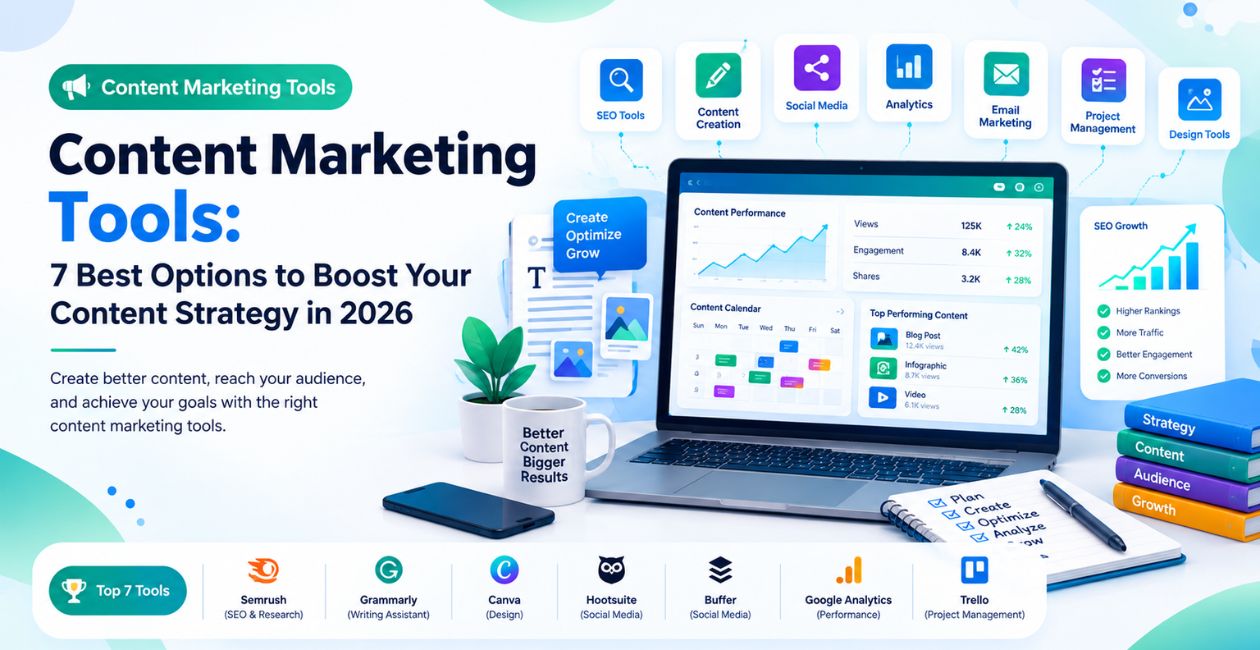
Content Marketing Tools: 7 Best Options to Boost Your Content Strategy in 2026
Introduction
Creating great content is only half the job. You also need to plan topics, research keywords, publish consistently, reach the right audience, and measure results. Without the right systems, content marketing can quickly become time-consuming and difficult to manage.
That is where content marketing tools can help. They make it easier to organize campaigns, create useful content, improve search visibility, collaborate with teams, and understand what is working.
Whether you run a small business, manage a blog, or oversee a large marketing department, choosing the right tools can improve your workflow without adding unnecessary complexity.
In this guide, you will learn what content marketing tools are, which platforms are worth comparing in 2026, and how to choose the right solution for your goals and budget.
What Are Content Marketing Tools?
Content marketing tools are software applications that help businesses research, plan, create, distribute, manage, and measure content. They support activities such as blog writing, SEO research, social media publishing, email marketing, content collaboration, and performance tracking.
For example, a marketing team might use an SEO platform to find article opportunities, an AI writing assistant to develop an outline, a project management tool to track approvals, and an analytics platform to measure organic traffic.
The goal is not to use as many tools as possible. It is to build a workflow that helps you publish valuable content consistently and understand its business impact.
7 Best Content Marketing Tools to Consider in 2026
The best platform depends on your marketing goals, team size, content formats, and budget. The following tools serve different purposes, so compare them based on the work you actually need to do.
1. HubSpot — Best for Managing the Content Marketing Process
HubSpot offers a collection of marketing, CRM, sales, and content-related features. It can help businesses coordinate content campaigns and connect marketing activities with customer relationships.
Key features:
- Marketing campaign management
- CRM and contact management
- Landing pages and lead-generation features
- Marketing automation
- Reporting and performance tracking
Best for: Businesses that want to connect content marketing with lead generation and customer management.
What to consider: HubSpot offers multiple products and plans. Review the features, contact limits, and pricing of the specific plan you need before committing.
2. Semrush — Best for SEO Content Research
Semrush provides SEO and competitive research tools that help marketers discover keyword opportunities, analyze competitors, and monitor search performance.
Key features:
- Keyword research
- Competitor analysis
- Site audits
- Search visibility tracking
- Content optimization features, depending on the plan
Best for: Bloggers, SEO professionals, agencies, and businesses that rely on organic search traffic.
What to consider: Some advanced features require paid plans. Use keyword data as a starting point, then evaluate search intent and whether you can create something more useful than existing results.
3. Ahrefs — Best for Content and Backlink Research
Ahrefs is an SEO platform known for backlink analysis, keyword research, and competitor research. It can help marketers identify topics worth covering and understand why competing pages may perform well in search results.
Key features:
- Keyword research
- Backlink analysis
- Competitor content research
- Site auditing
- Search performance research
Best for: SEO-focused content teams, publishers, and agencies building long-term organic visibility.
What to consider: SEO metrics are estimates, not guarantees of rankings or traffic. Use them alongside search intent, first-hand knowledge, and your own performance data.
4. Canva — Best for Creating Visual Content
Canva makes it easier to design visual assets without advanced graphic design skills. Content marketers can use it to create blog graphics, social media posts, presentations, infographics, and promotional materials.
Key features:
- Customizable design templates
- Social media graphics
- Presentations and infographics
- Brand assets and reusable designs
- Team collaboration features
Best for: Small businesses, social media managers, bloggers, and marketing teams that regularly publish visual content.
What to consider: Check whether your chosen plan includes the brand management, collaboration, and asset features your team needs. Always verify the licensing terms for the assets you use.
5. Grammarly — Best for Editing and Improving Content
Grammarly helps writers review grammar, spelling, clarity, tone, and readability. It can support the editing process for blog posts, email campaigns, landing pages, and other marketing materials.
Key features:
- Grammar and spelling suggestions
- Clarity and tone feedback
- Writing assistance
- Suggestions for improving readability
- Support for professional communication
Best for: Writers, editors, freelancers, and teams that publish content regularly.
What to consider: Automated suggestions can miss context or change the intended meaning. A human review is still important, especially for technical, legal, financial, or highly specialized content.
6. Buffer — Best for Social Media Content Distribution
Buffer helps users plan, schedule, and publish social media content across supported platforms. It can reduce the time spent manually posting updates and help maintain a consistent publishing schedule.
Key features:
- Social media post scheduling
- Content planning
- Publishing across supported channels
- Engagement and performance analytics, depending on the plan
- Team collaboration options
Best for: Small businesses, creators, and marketing teams distributing blog posts, videos, and other content through social media.
What to consider: Confirm that Buffer supports the specific social networks and publishing features you use. Scheduling tools also cannot replace meaningful conversations with your audience.
7. Trello — Best for Organizing Content Workflows
Trello uses boards, lists, and cards to organize projects. Content teams can use it to track ideas, writing assignments, editing, approvals, and publication dates.
Key features:
- Visual task boards
- Content calendars
- Assignment tracking
- Due dates and checklists
- Workflow automation options
Best for: Freelancers, small marketing teams, and businesses that need a straightforward way to organize content production.
What to consider: Trello is primarily a work-management platform rather than a complete content marketing suite. Larger teams may need additional reporting, governance, or integration features.
Content Marketing Tools Comparison
Use this table as a starting point when deciding which platform to evaluate first.
| Tool | Main purpose | Best suited for |
| HubSpot | Marketing and CRM management | Lead generation and campaign management |
| Semrush | SEO and keyword research | Search-focused content strategies |
| Ahrefs | SEO and backlink research | Organic growth and competitor analysis |
| Canva | Visual content creation | Graphics and branded content |
| Grammarly | Writing and editing | Clear, polished content |
| Buffer | Social media distribution | Scheduling and publishing |
| Trello | Content workflow management | Editorial planning and task tracking |
You do not need all seven tools. Start with the activities that create the biggest bottleneck in your current process.
Enterprise Content Marketing Tools: What Should Large Teams Look For?
Enterprise content marketing tools are platforms designed to support the more complex needs of large organizations, including multiple teams, approval processes, brand governance, integrations, and performance reporting.
An enterprise team may manage several brands, regional campaigns, content libraries, and compliance requirements at the same time. A basic collection of individual apps may not provide enough control or visibility.
Important Enterprise Features
1. Content governance and approval workflows
Look for role-based permissions, review stages, version history, and approval rules. These features help ensure that content is reviewed by the right people before publication.
2. Collaboration across departments
Enterprise teams often involve writers, editors, designers, SEO specialists, legal reviewers, and regional marketing managers. Shared workspaces and clear task ownership can reduce confusion.
3. Integrations with existing systems
Check whether the platform connects with your CMS, CRM, analytics tools, digital asset management system, and marketing automation software. Integrations can reduce duplicate work and improve reporting.
4. Reporting and attribution
Look for reporting that connects content performance with meaningful outcomes, such as qualified leads, conversions, pipeline contribution, and customer engagement.
5. Security and access controls
Review authentication options, user permissions, data handling policies, vendor security documentation, and contractual requirements. Larger organizations may also need formal procurement and compliance reviews.
Which Enterprise Platforms Should You Evaluate?
HubSpot may suit organizations that want connected marketing and CRM workflows. Semrush and Ahrefs can support SEO research at scale. For complex editorial operations, teams should also evaluate dedicated content operations, digital asset management, and enterprise content management platforms.
The best choice depends on your existing technology stack and governance needs. Request demonstrations using a realistic workflow rather than relying only on feature lists.
How to Choose the Right Content Marketing Tools
Before paying for a new subscription, identify the problem you need to solve. The following steps can help you make a practical decision.
1. Define Your Main Goal
Are you trying to increase organic traffic, publish more consistently, generate leads, improve visual content, or coordinate a large team? Start with one or two measurable objectives.
2. Match Tools to Your Workflow
Map your process from topic research to publication and performance review. Identify where delays occur and select tools that directly address those issues.
3. Consider Your Budget and Team Size
A solo blogger may need an affordable SEO tool, a writing assistant, and a basic editorial calendar. An enterprise team may need advanced permissions, integrations, governance, and centralized reporting.
Compare the total cost, including user seats, usage limits, integrations, onboarding, and upgrades—not just the advertised starting price.
4. Check Ease of Use and Integrations
A powerful platform is not helpful if your team struggles to use it. Test the interface, connect essential systems, and confirm that the tool fits your existing workflow.
5. Measure Results Before Expanding
Run a short pilot where possible. Track whether the tool reduces production time, improves editorial consistency, or helps the team make better decisions. Expand only when the value justifies the cost.
Common Mistakes to Avoid When Using Content Marketing Tools
Even the best software cannot compensate for a weak content strategy. Watch out for these common mistakes:
- Buying too many tools: Overlapping subscriptions can increase costs and create fragmented data.
- Publishing content without audience research: Content should answer real questions and meet a clear search or customer need.
- Relying entirely on AI-generated drafts: Review facts, add useful examples, and contribute original expertise before publishing.
- Ignoring distribution: A useful article may need email promotion, social media sharing, internal links, and outreach to reach its audience.
- Tracking vanity metrics alone: Page views and social likes matter in context, but they do not automatically translate into qualified leads or revenue.
- Failing to review results: Regularly update your strategy based on engagement, conversions, and search performance.
The most effective content marketing process combines appropriate tools with human judgment, a clear editorial strategy, and ongoing measurement.
May you like : accounting-software-for-multiple-businesses
Frequently Asked Questions
1. What are the best content marketing tools in 2026?
Popular options include HubSpot for marketing management, Semrush and Ahrefs for SEO research, Canva for visual content, Grammarly for editing, Buffer for social media publishing, and Trello for workflow organization. The best choice depends on your goals and budget.
2. Are there free content marketing tools?
Yes. Several platforms offer free plans or limited free features. Options may include Canva, Buffer, Trello, and Grammarly, although features and usage limits vary. Review each provider’s current plan details before choosing.
3. What are enterprise content marketing tools?
Enterprise content marketing tools help large organizations manage content production, collaboration, approvals, governance, integrations, and performance reporting across teams or brands. They are particularly useful when standard tools cannot support complex workflows.
4. Can AI tools replace content marketers?
AI tools can assist with brainstorming, research organization, outlines, editing, and repetitive tasks. However, they do not eliminate the need for human expertise, fact-checking, audience understanding, original insights, or strategic decision-making.
5. How many content marketing tools does a business need?
There is no fixed number. Start with the smallest practical set that supports your core workflow. A small business might begin with tools for research, content creation, and publishing, then add more when a clear need emerges.
Conclusion
The right content marketing tools can make research, creation, collaboration, distribution, and performance tracking easier. For SEO, compare Semrush and Ahrefs. For design, consider Canva. For social publishing and workflow management, explore Buffer and Trello. Businesses that need connected marketing operations can evaluate HubSpot, while larger organizations should prioritize governance, integrations, and reporting.
Start by identifying your biggest content bottleneck, test a tool against a real task, and measure the results before investing in more software.
Next step: Explore related guides on SEO tools, AI writing tools, and social media marketing tools to build a content workflow that fits your business.