Family Law Software: Complete Guide to Choosing the Right Legal Practice Software in 2026
Family law practices deal with an unusual combination of sensitive information, large document volumes, strict deadlines, court filings, billing, and frequent communication with clients. Managing all of that through email, shared folders, spreadsheets, and disconnected calendars can quickly become difficult.
That is where family law software can make a practical difference.
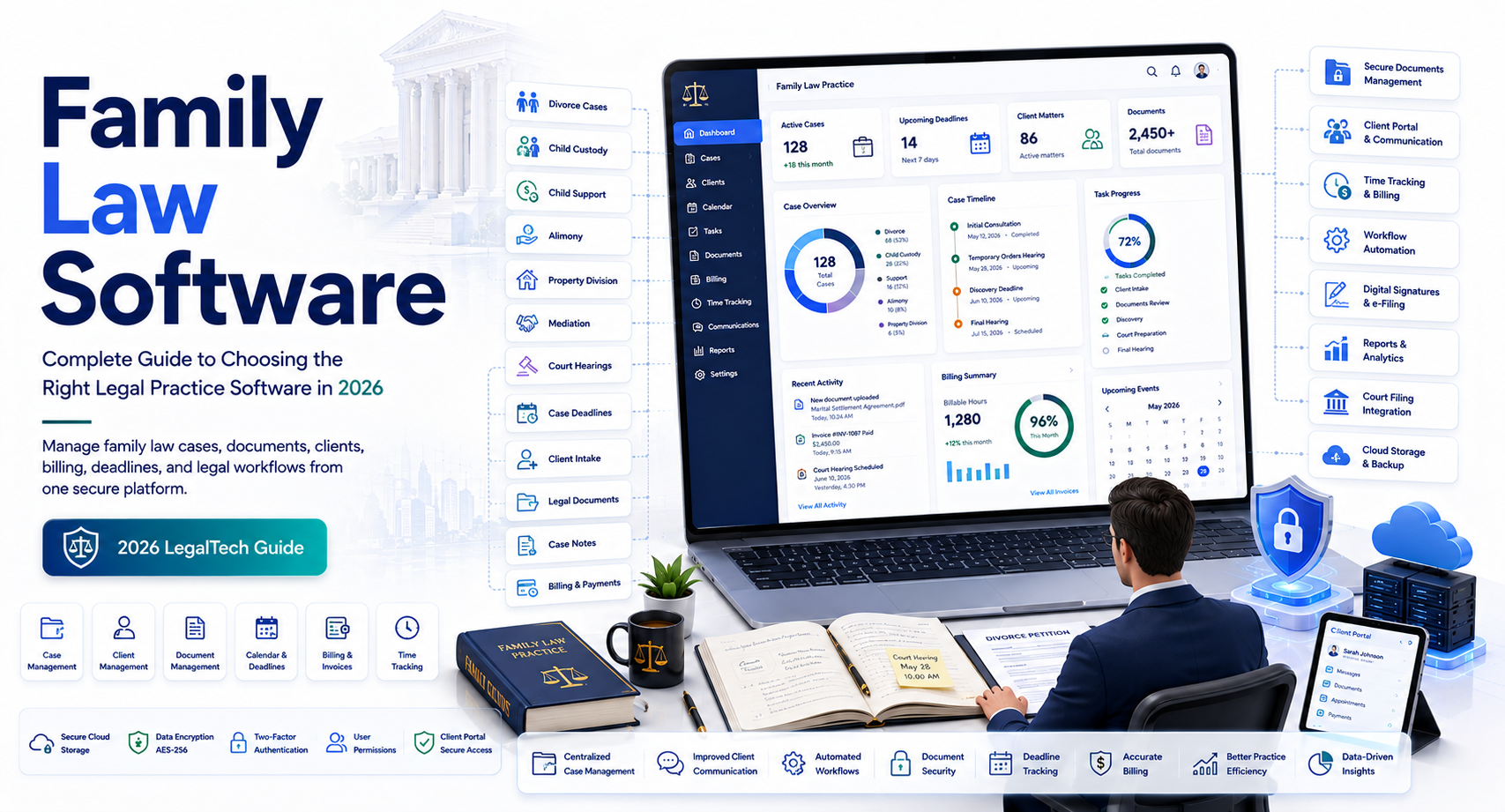
Modern legal practice platforms can bring case management, document organization, calendaring, time tracking, billing, client communication, and workflow automation into one environment. For firms handling divorce, child custody, child support, adoption, paternity, domestic violence, and other family-law matters, the right system can reduce administrative work while giving attorneys and staff better visibility into every active case.
The important word is right. Family law software is not simply about buying the platform with the longest feature list. A solo attorney may need a completely different solution from a 20-attorney family law practice. A Florida firm may also have workflow requirements that differ from a firm operating in another state.
This guide explains what family law software does, which features matter most, how to evaluate vendors, what to look for in family law software in Florida, and how to avoid common implementation mistakes.
What Is Family Law Software?
Family law software is legal practice management software designed to help attorneys and law firms organize and manage family law cases, clients, documents, deadlines, communications, billing, and related administrative workflows.
It can bring information that would otherwise be scattered across multiple applications into a centralized workspace.
Depending on the platform, features may include:
- Case management
- Contact management
- Document management
- Legal calendaring
- Deadline tracking
- Task management
- Time tracking
- Billing and invoicing
- Online payments
- Client portals
- Secure messaging
- Email integration
- Court-related workflow management
- Reporting
- Workflow automation
Some platforms are general legal practice management systems with features applicable to family law. Others are built specifically around particular practice areas or workflows.
Why Family Law Needs Specialized Workflows
Family law cases often involve multiple related issues within one matter.
For example, a divorce case could involve:
- Property division
- Child custody
- Parenting plans
- Child support
- Alimony
- Financial disclosures
- Discovery
- Court hearings
- Settlement negotiations
The software needs to help the legal team connect these activities to the same client and matter without losing track of deadlines or documents.
Key Features to Look for in Family Law Software
Not every legal software platform provides the same capabilities. Before comparing vendors, identify the workflows your firm actually needs.
Case and Matter Management
Case management should provide a central location for each matter.
A useful system should make it easy to see:
- Client information
- Opposing-party information
- Case number
- Attorneys assigned
- Important dates
- Tasks
- Documents
- Communications
- Billing information
- Case status
For example, an attorney opening a divorce matter should not need to search through multiple applications to determine the next hearing date or locate the latest version of a settlement document.
Matter-Level Organization
Family law software should ideally organize information by matter rather than relying solely on folders.
This becomes particularly useful when one client has multiple legal matters.
A structured matter system reduces the chance of attaching a document, email, or task to the wrong case.
Document Management
Document management is one of the most important capabilities for family law practices.
A single case may contain hundreds or thousands of documents, including:
- Petitions
- Motions
- Financial affidavits
- Bank statements
- Tax documents
- Discovery responses
- Parenting plans
- Settlement agreements
- Court orders
- Correspondence
- Exhibits
The software should make these documents easy to find while controlling who can access sensitive information.
Version Control
Look for document versioning where available.
Without version control, staff may accidentally work from an outdated parenting plan or settlement agreement.
A strong document workflow should make it clear which version is current and preserve appropriate historical records.
Calendaring and Deadline Management
Missing a legal deadline can have serious consequences, so calendaring should be evaluated carefully.
Family law software may allow teams to track:
- Court hearings
- Filing deadlines
- Discovery deadlines
- Mediation dates
- Client appointments
- Internal review dates
- Follow-up tasks
Automated Reminders
Useful systems can send reminders before important events.
For example:
Hearing date → 30-day reminder → 14-day reminder → 3-day reminder
The exact workflow should be configurable to the firm’s procedures.
However, automation should support—not replace—professional review. Attorneys and staff should still verify deadlines against the applicable court rules, orders, notices, and case circumstances.
Internal Linking Opportunity: Link this section to a related guide about legal calendaring software, legal case management software, or legal document management software.
Family Law Software Florida: What Florida Firms Should Consider
A Florida family law practice should evaluate software with the state’s court processes and family-law requirements in mind.
This does not mean that software can determine legal requirements for an attorney. Instead, the platform should make it easier for the firm to manage workflows based on current rules, forms, and court procedures.
The Florida Courts website provides official family-law forms covering matters such as dissolution of marriage, financial affidavits, child support, parenting plans, paternity, relocation, domestic violence, and other family-law proceedings.
Florida domestic-relations matters are governed by Florida statutes, court rules, and case law. The Florida Courts specifically notes that dissolution cases are governed by the Florida Family Law Rules of Procedure.
Florida Family Law Forms
Florida firms routinely encounter standardized court forms.
For example, the official Florida Courts family-law resources include:
- Dissolution petitions
- Family Law Financial Affidavits
- Child Support Guidelines Worksheets
- Parenting Plans
- Modification petitions
- Paternity forms
- Relocation forms
- Domestic violence forms
- Subpoenas
- Notices
- Final judgments
The official forms library is regularly updated, so firms should avoid assuming that an old software template is automatically the current court-approved version.
Florida Court Workflow Integration
When evaluating family law software Florida firms can use, ask whether the platform supports the firm’s actual court workflow.
Important questions include:
- Can documents be prepared and stored efficiently?
- Can staff track filing deadlines?
- Can the system integrate with required e-filing workflows?
- Can users record court events?
- Can the firm maintain matter-specific checklists?
- Can staff quickly locate the latest court documents?
- Does the vendor monitor relevant software updates?
Do not treat a vendor’s claim of “Florida support” as proof that its workflows are legally current. Ask for a demonstration using a realistic Florida family-law matter.
Client Communication and Secure Portals
Family law clients often need to exchange sensitive documents with their attorneys.
Email alone may create organizational and security challenges.
A client portal can provide a controlled environment for:
- Secure document sharing
- Client messages
- Intake forms
- Appointment information
- Billing
- Payment processing
- Document requests
Why Client Portals Matter
Imagine a client needs to provide:
- Recent pay stubs
- Bank statements
- Tax returns
- Insurance documents
- A proposed parenting schedule
Instead of sending multiple email attachments, the firm can provide a structured upload process.
This makes it easier for staff to determine what has been received and what is still missing.
Automated Client Requests
Some systems can automate requests for documents or information.
For example:
Financial disclosure checklist → Client receives request → Client uploads documents → Staff reviews → Missing items are flagged
This can reduce repeated email exchanges.
Billing and Financial Management
Family law firms also need strong financial workflows.
Depending on the firm’s billing model, software may support:
- Time tracking
- Expense tracking
- Retainers
- Trust accounting workflows
- Invoicing
- Online payments
- Payment reminders
- Billing reports
Time Tracking
Attorneys and staff should be able to record billable time against the correct matter.
Useful features include:
- Timer-based tracking
- Manual time entries
- Billing descriptions
- Matter-specific rates
- Mobile time tracking
Retainers and Trust Accounting
Trust and client funds require particular care.
Do not assume that every legal practice management platform handles trust accounting in the same way.
Before selecting software, confirm:
- Trust-account functionality
- Separate client ledgers
- Reconciliation capabilities
- Audit trails
- Permission controls
- Reporting
- Jurisdiction-specific requirements
A firm’s accounting procedures should be reviewed against applicable professional rules and the firm’s accountant or compliance adviser where appropriate.
Automation for Family Law Firms
Automation is one of the strongest reasons to move away from disconnected spreadsheets and manual workflows.
Instead of asking staff to remember every repetitive task, software can create standardized processes.
Automated Intake
A new client may complete an online intake form containing:
- Contact details
- Marriage information
- Children
- Opposing-party details
- Case type
- Basic financial information
- Existing court information
The information can then populate the firm’s internal records where supported.
Automated Task Workflows
A firm can create checklists for common matter types.
For example, a new divorce matter might trigger tasks such as:
- Conflict check
- Engagement documentation
- Initial client questionnaire
- Document collection
- Case opening
- Court filing preparation
- Calendar setup
- Client follow-up
The exact workflow should be customized to the firm’s procedures and jurisdiction.
Automated Notifications
Software can remind staff about:
- Upcoming hearings
- Missing documents
- Unpaid invoices
- Client follow-ups
- Internal deadlines
- Review tasks
Automation is particularly useful for repetitive administrative work, but attorneys should maintain appropriate oversight of substantive legal decisions and deadlines.
Security and Privacy: A Critical Consideration
Family law firms handle highly sensitive information.
A case management system may contain:
- Financial records
- Social Security information
- Addresses
- Children’s information
- Medical records
- Tax documents
- Court documents
- Private communications
Security should therefore be part of the buying decision, not an afterthought.
Security Features to Evaluate
Look for capabilities such as:
- Encryption
- Multi-factor authentication
- Role-based permissions
- Audit logs
- Secure backups
- Access controls
- Session management
- Data retention controls
- Secure client portals
Ask Where Data Is Stored
Before purchasing software, ask the vendor:
- Where is data hosted?
- How is it encrypted?
- How often is it backed up?
- Who can access customer data?
- What happens if the firm terminates the subscription?
- Can data be exported?
- How long is data retained after cancellation?
A reputable vendor should be able to explain its security practices clearly.
How to Choose the Best Family Law Software
The “best” platform depends on your firm’s size and workflow.
Solo Family Law Attorneys
A solo practitioner may prioritize:
- Affordable pricing
- Easy setup
- Case management
- Calendaring
- Document storage
- Time tracking
- Billing
- Client communication
Avoid paying for enterprise functionality that the firm will never use.
Small Family Law Firms
A small firm may need more advanced collaboration.
Important capabilities include:
- Shared matter management
- Staff permissions
- Workflow automation
- Document management
- Client portals
- Reporting
- Billing controls
The system should make collaboration easier without creating unnecessary administrative overhead.
Larger Family Law Practices
Larger firms should evaluate:
- Advanced permissions
- Workflow automation
- Reporting
- Integrations
- Security controls
- Scalability
- Administrative management
- Data migration
- Vendor support
A larger practice should also evaluate how easily the software integrates with its existing technology stack.
Questions to Ask Family Law Software Vendors
Before signing a contract, ask vendors specific questions rather than relying on marketing descriptions.
Workflow Questions
- Can you demonstrate a complete family-law matter?
- Can we customize case workflows?
- Can we create different workflows for divorce, custody, and support matters?
- Can staff assign tasks to specific users?
Integration Questions
- Does the platform integrate with our accounting system?
- Does it support email integration?
- Does it connect with our document tools?
- Are APIs available?
Security Questions
- Is multi-factor authentication available?
- What encryption is used?
- How are backups handled?
- Are audit logs available?
- How are user permissions controlled?
Data Questions
- Can we export all our data?
- What format is the export?
- Are there additional export fees?
- What happens to our data after cancellation?
Pricing Questions
Ask for the complete cost, including:
- User licenses
- Implementation
- Migration
- Training
- Storage
- Integrations
- Support
- Additional modules
The cheapest subscription is not necessarily the lowest-cost solution.
Common Mistakes When Buying Family Law Software
Choosing Based Only on Price
Low monthly pricing can be attractive, but the software may lack essential features.
Evaluate the complete cost and expected productivity benefits.
Buying Too Many Features
More features do not automatically mean better software.
A complicated platform can slow down a small practice if employees struggle to use it.
Ignoring Data Migration
Moving years of client and case information is a major project.
Ask vendors how they handle:
- Existing documents
- Contacts
- Matter records
- Billing data
- Custom fields
- Historical information
Failing to Test the Real Workflow
A product demo can look impressive while failing your everyday needs.
Use a realistic test case during evaluation.
For a Florida firm, for example, create a hypothetical family-law matter and test how the system handles intake, documents, deadlines, client communication, billing, and reporting.
Family Law Software vs. General Practice Management Software
General legal practice management software can be perfectly suitable for a family law firm.
The important question is whether it supports your particular workflows.
| Feature | General Legal Software | Family Law-Focused Software |
| Case management | Yes | Yes |
| Document management | Usually | Usually |
| Time tracking | Usually | Usually |
| Billing | Usually | Usually |
| Calendaring | Usually | Usually |
| Family-law workflows | May vary | Often stronger |
| Parenting-related workflows | May vary | Potentially specialized |
| Family-law forms | May vary | May be included |
| Custom workflows | Usually | Usually |
| Client portal | Often | Often |
A family law firm should evaluate actual functionality rather than choosing solely based on whether the vendor uses the phrase “family law” in its marketing.
Frequently Asked Questions
What is family law software?
Family law software is legal practice management technology that helps attorneys manage family-law cases, clients, documents, deadlines, communication, billing, and related workflows from a centralized system.
What features should family law software have?
The most useful features typically include case management, document management, calendaring, deadline tracking, client portals, secure communication, time tracking, billing, workflow automation, reporting, and strong access controls.
Is there family law software specifically for Florida?
Yes, some legal software platforms support workflows used by Florida family law practices. However, firms should verify that specific features, forms, integrations, and procedures are current and appropriate for their practice. Florida’s official court resources should remain the authoritative source for current court forms and procedural information.
Can family law software automate legal deadlines?
Many platforms can create reminders, tasks, and workflow events around deadlines. However, software reminders should not be treated as a substitute for attorney or staff review of court orders, applicable rules, filing requirements, and case-specific deadlines.
How much does family law software cost?
Pricing varies widely based on users, features, storage, billing capabilities, integrations, implementation, and support. Solo practices may need only basic functionality, while larger firms may require more advanced systems. Comparing total cost of ownership provides a more useful picture than comparing subscription prices alone.
May you like : Corporate Software Inspector: Complete Guide for Businesses in 2026
Conclusion
The right family law software can help a legal practice bring case information, documents, deadlines, communications, billing, and administrative workflows into one organized environment. That can reduce repetitive work and make it easier for attorneys and staff to understand what needs attention on each matter.
For firms evaluating family law software in Florida, jurisdiction-specific workflow support deserves particular attention. Florida family-law matters involve official forms, court procedures, and rules that can change, so firms should verify current requirements through authoritative Florida court resources rather than relying solely on a software vendor’s templates or marketing claims.
The best buying process starts with your firm’s actual workflow. List your most common matter types, identify administrative bottlenecks, define security requirements, and determine which integrations are essential. Then test shortlisted platforms using a realistic case rather than judging them only from a sales demonstration.
A thoughtful evaluation can help you choose software that fits the way your firm actually works today while providing enough flexibility to support future growth.