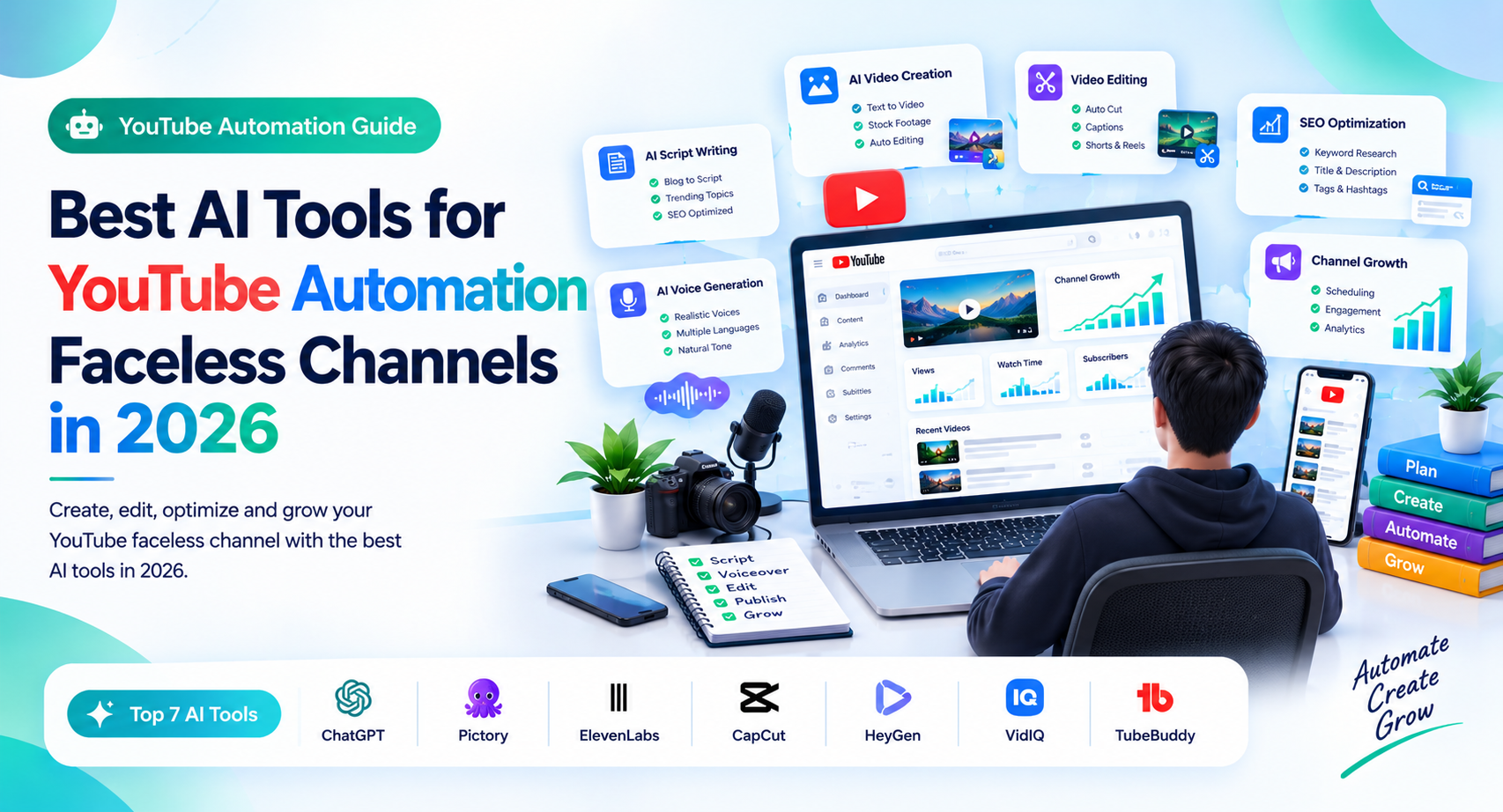
Best AI Tools for YouTube Automation Faceless Channels in 2026
Introduction
You don’t need a camera, a studio, or even your own voice to start a YouTube channel. With the right AI tools, you can research topics, write scripts, create voiceovers, edit videos, design thumbnails, and streamline much of your publishing workflow.
But here is the catch: AI automation can make video production faster, but it cannot guarantee views, subscribers, or monetization. Channels still need original ideas, engaging storytelling, accurate information, and videos that give viewers a reason to keep watching.
In this guide, we’ll explore the best AI tools for YouTube automation faceless channels in 2026, explain what each tool does best, and show you how to combine them into a practical workflow without wasting money on unnecessary subscriptions.
1. Best AI Tools for YouTube Automation Faceless Channels in 2026
The best setup depends on your channel type. A history channel needs research and storytelling, while a software tutorial channel may need screen recordings, captions, and precise editing.
ChatGPT — Best for Scripts and Content Planning
ChatGPT can help you brainstorm video ideas, develop outlines, draft scripts, generate hooks, and organize research questions. It is especially useful when you need a repeatable process for producing videos around a specific niche.
For example, a faceless personal finance channel could use it to brainstorm topics such as budgeting mistakes, credit score basics, and saving strategies.
Best features for creators:
- Video topic brainstorming and content calendars.
- Script outlines, hooks, and calls to action.
- Title variations and thumbnail concept ideas.
- Turning complex topics into beginner-friendly explanations.
Limitation: AI-generated scripts can contain errors, generic statements, or unsupported claims. Verify facts and add original examples, insights, and explanations before recording.
Best for: Beginners who need help planning and writing videos.
InVideo AI — Best for Creating Videos From Prompts
InVideo AI helps creators turn written prompts and scripts into video drafts using visuals, voiceovers, and other editing elements. It can reduce the time needed to assemble a basic video, particularly when you don’t want to edit every scene manually.
For example, you could provide a script for a video about productivity software and use the platform to generate an initial sequence of scenes.
Best features for creators:
- Prompt-based video creation.
- Automated visual selection and assembly.
- Voiceover and editing options.
- Faster production of first drafts.
Limitation: Automatically selected footage may not match your narration perfectly. Review every scene, replace irrelevant visuals, and check the available export and licensing terms before publishing.
Best for: Beginners who want to create videos without building every scene from scratch.
ElevenLabs — Best for AI Voiceovers
Voice quality matters because viewers may spend several minutes listening to your narration. ElevenLabs offers AI voice-generation tools that can help faceless creators produce natural-sounding narration without recording their own voice.
It can be useful for educational videos, software explainers, storytelling, and other narration-led formats.
Best features for creators:
- AI-generated narration.
- Different voice styles and delivery options.
- Support for multiple languages, depending on the feature.
- Voice generation for scripts and other spoken content.
Limitation: Even a high-quality voice can sound unnatural if the script contains long sentences, awkward punctuation, or repetitive phrasing. Listen to the complete output before publishing.
Check the current plan’s commercial-use terms and ensure you have the necessary rights for any voice cloning or voice likeness you use.
Best for: Creators who want professional narration without recording audio themselves.
Descript — Best for Editing Narration-Based Videos
Descript offers a text-based editing workflow that can make editing spoken content easier. Instead of relying entirely on a traditional timeline, creators can edit parts of a recording through its transcript-based tools.
This is useful for documentary-style videos, tutorials, explainers, interviews, and videos where narration drives the story.
Best features for creators:
- Transcript-based editing.
- Removing unwanted sections of narration.
- Captions and audio-cleanup features.
- Tools for refining spoken video content.
Limitation: Automated transcription and editing can make mistakes, especially with technical terms, names, and accents. Review the final video carefully.
Best for: Creators who produce voice-led videos and want more control over editing.
CapCut — Best for Beginner-Friendly Video Editing
CapCut is a practical choice for creators who want to assemble footage, add captions, improve pacing, and finish videos without learning a complicated editing system.
You can use it to polish videos generated with another AI platform or edit footage and screen recordings yourself.
Best features for creators:
- Timeline-based video editing.
- Text overlays and captions.
- Transitions and visual effects.
- Audio controls and social-video formats.
Limitation: Feature availability, export options, and pricing can vary by plan, device, and region. Review the terms of the features you use, particularly for commercial projects.
Best for: Beginners who want a flexible editor and are comfortable making manual adjustments.
Canva — Best for YouTube Thumbnails
A thumbnail can influence whether a viewer clicks your video, so packaging deserves as much attention as production. Canva makes it easier to create thumbnails, channel graphics, and supporting visual assets.
Best features for creators:
- YouTube thumbnail templates.
- Text, shapes, and image composition.
- Brand colors and reusable designs.
- AI-assisted design features where available.
Limitation: A polished template does not automatically make a compelling thumbnail. Focus on one clear visual idea, readable text, and a design that accurately represents the video.
Best for: Creators who want consistent, professional-looking channel graphics.
2. Which AI Tools Should You Choose for Your Channel?
You do not need every tool on this list. Start with the smallest combination that helps you publish useful videos consistently.
| Your main need | Suggested tool | Why it helps |
| Script writing and ideas | ChatGPT | Helps plan topics and draft scripts |
| Prompt-based video creation | InVideo AI | Speeds up initial video assembly |
| Natural AI narration | ElevenLabs | Creates voiceovers |
| Editing spoken content | Descript | Simplifies transcript-based editing |
| Final video editing | CapCut | Provides hands-on editing control |
| Thumbnails and graphics | Canva | Helps create consistent visuals |
A Practical Starter Setup
If your budget is limited, start with ChatGPT, one video editor, and Canva. Add a dedicated voice-generation tool only if you need one.
If you want a more automated workflow, try a prompt-to-video platform and review its output before paying for a long-term subscription.
Important: Check each tool’s current pricing, free-plan limits, watermark rules, and commercial-use rights. Features and subscription terms can change, so compare the current official plans before choosing.
3. How to Build a Faceless YouTube Automation Workflow
AI works best when every tool has a clear job. A simple workflow can help you produce videos more efficiently without sacrificing quality.
Step 1: Choose a Specific Niche
Pick a subject that you can cover consistently and that has an identifiable audience.
Examples include:
- Software tutorials and AI tool reviews.
- Science and educational explainers.
- History and biographies.
- Productivity and personal development.
- Original storytelling and animation.
Avoid choosing a niche only because someone claims it generates high revenue. Consider your knowledge, audience demand, production costs, and ability to create original content.
Step 2: Research the Topic and Write the Script
Use ChatGPT to brainstorm topics and organize an outline. Verify important claims using reliable sources, then develop the outline into a script with a clear opening, logical sections, and a useful conclusion.
For a software tutorial, for example, demonstrate how a feature works instead of simply reading a list of features.
Step 3: Generate the Voiceover and Visuals
Use ElevenLabs or another suitable voice tool if you need AI narration. Create visuals using original screen recordings, licensed stock footage, diagrams, animations, or AI-generated scenes.
Make sure the visuals support the narration. Random stock clips can make a video feel disconnected, even when the voiceover sounds professional.
Step 4: Edit and Improve the Video
Use Descript or CapCut to remove awkward pauses, improve pacing, add captions, and balance audio levels.
Check that the opening delivers on the title’s promise. Remove unnecessary repetition and make sure the video remains interesting beyond the first few seconds.
Step 5: Create the Thumbnail and Publish
Use Canva to design a clear thumbnail. Write an accurate title and description, check spelling, and confirm that you have permission to use your music, images, footage, and other assets.
After publishing, review YouTube Analytics to understand audience retention, click-through rate, and viewer engagement. Use the results to improve future videos rather than blindly increasing upload volume.
4. Can AI-Generated Faceless Videos Be Monetized on YouTube?
Yes. Using AI does not automatically make a video ineligible for monetization. What matters is whether the content meets YouTube’s monetization policies and provides original value.
YouTube’s channel monetization policies explain that mass-produced, repetitive, or inauthentic content may be ineligible for monetization. Reusing other people’s content without meaningful original commentary or transformation can also create problems.
For example, a channel that publishes original software tutorials using AI narration, its own demonstrations, and helpful explanations offers a different experience from one that repeatedly uploads generic slideshows with copied text.
To improve your chances of building a sustainable channel:
- Add original research, analysis, commentary, or storytelling.
- Give each video a distinct purpose and useful substance.
- Verify factual claims, especially in finance, health, and other sensitive subjects.
- Use footage and music you have the right to publish.
- Follow YouTube’s disclosure requirements for realistic, meaningfully altered or AI-generated content when applicable.
YouTube’s guidance on AI labels explains its approach to disclosing realistic altered or generated content. Check the current requirements when uploading.
No AI tool can guarantee monetization or a particular number of views. Treat automation as a way to improve your workflow, not as a shortcut around content quality.
5. Common Mistakes to Avoid With YouTube Automation
Publishing Videos Without Reviewing Them
AI tools can produce incorrect facts, awkward narration, mismatched footage, and strange visual details. Review the full video before uploading it.
Using the Same Template for Every Video
Consistent branding is helpful, but every video should offer distinct information or entertainment. Repeated scripts and interchangeable visuals can make a channel feel mass-produced.
Ignoring Copyright and Licensing
Do not assume that footage, music, images, or generated voices are automatically cleared for commercial use. Review licensing terms and keep records of the assets you use.
Buying Too Many Subscriptions
More tools do not necessarily mean better videos. Start with a small workflow, identify your biggest bottleneck, and pay for additional software only when it solves a real problem.
Focusing on Upload Quantity Instead of Viewer Value
Publishing more often will not compensate for weak storytelling or unhelpful videos. Prioritize clear ideas, strong openings, useful information, and thoughtful editing.
Frequently Asked Questions
What is the best AI tool for faceless YouTube channels in 2026?
There is no single best tool for every channel. ChatGPT is useful for scripts, ElevenLabs for narration, InVideo AI for prompt-based video creation, CapCut for editing, and Canva for thumbnails. Choose tools based on your workflow and budget.
Can I automate an entire YouTube channel with AI?
You can automate or speed up many production tasks, including brainstorming, drafting, voice generation, editing assistance, and thumbnail creation. However, research, fact-checking, creative decisions, quality control, and policy compliance still need attention.
Can I monetize a faceless YouTube channel using AI voices?
Potentially, yes. AI narration is not automatically disqualifying. Your videos must still meet YouTube’s monetization policies, provide original value, and comply with relevant disclosure and copyright requirements.
What is the cheapest way to start a faceless YouTube channel?
Start with a script-writing assistant, a free or affordable editor, and a thumbnail design tool. Use original screen recordings or properly licensed visuals, then add paid voice or video tools when your workflow requires them.
Do AI-generated YouTube videos get more views?
Not automatically. Views depend on factors such as audience interest, topic selection, title and thumbnail appeal, retention, and overall viewer satisfaction. AI can help with production, but it cannot guarantee audience growth.
Conclusion
The best AI tools for YouTube automation faceless channels in 2026 help you handle different parts of production without losing control over the final result. Start with a writing assistant, a reliable editor, and a thumbnail tool. Add AI voiceovers or automated video generation when they solve a specific problem.
Most importantly, make every video useful, original, and worth watching. A simple workflow that produces strong videos is more valuable than a complicated collection of tools that generates content without a clear purpose.
Your next step: Choose one niche, create a short pilot video, and test your workflow from script to upload. Review the results before investing in more subscriptions.
You may like: excel-accounting-software