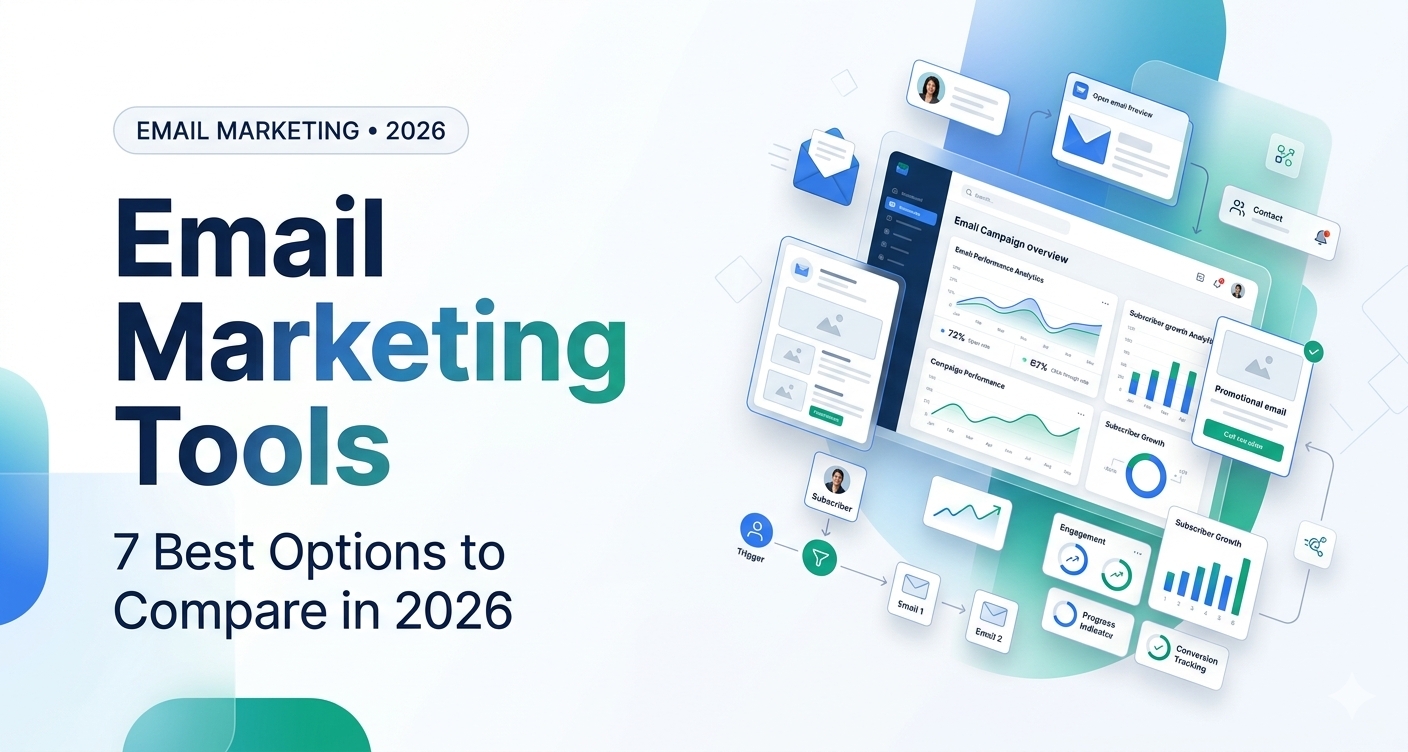
Email Marketing Tools: 7 Best Options to Compare in 2026
Introduction
Choosing email marketing tools can feel overwhelming when every platform promises better campaigns, more leads, and higher sales. The real challenge is finding software that fits your audience, budget, and marketing goals without paying for features you will rarely use.
Email marketing remains a practical way to nurture leads, share useful content, announce products, and build long-term customer relationships. The right platform can help you manage subscribers, design campaigns, automate follow-ups, and understand which messages are getting results.
In this guide, we’ll compare seven email marketing tools worth considering in 2026, explain who each one suits best, and show you how to choose the right option for your business.
1. Best Email Marketing Tools in 2026
The best platform depends on how you communicate with your audience. A blogger sending weekly newsletters has different needs from an online store recovering abandoned carts or a growing company managing sales leads.
1. Mailchimp — Best for General Marketing
Mailchimp is a popular option for businesses that want to create branded email campaigns and manage their subscriber lists from one place. It offers campaign templates, audience management, reporting, and marketing automation features that vary by plan.
Key features:
- Email campaign builder and templates.
- Audience segmentation.
- Automated email journeys.
- Campaign performance reporting.
- Integrations with other business tools.
Best for: Small businesses, marketing teams, and businesses starting with email campaigns.
Potential drawback: Costs and feature limits depend on the plan and contact count. Compare the current pricing with your expected list size before committing.
2. Brevo — Best for Small Businesses
Brevo is worth considering if you want to combine email campaigns with customer communication and automation features. Its available tools can support newsletters, promotional campaigns, and customer follow-ups.
Key features:
- Email campaign management.
- Contact organization and segmentation.
- Marketing automation options.
- Customer relationship management features.
- Additional communication channels, depending on the plan.
Best for: Small businesses that want email marketing alongside other customer communication tools.
Potential drawback: Some features and sending limits depend on your subscription. Check the plan details carefully if you expect to send campaigns frequently.
3. MailerLite — Best for Beginners and Bloggers
MailerLite is a useful choice for creators and small businesses that want a straightforward way to build an email list and send newsletters.
It can also help users create forms and landing pages, depending on the plan, making it practical for collecting subscribers from a blog or website.
Key features:
- Email newsletter creation.
- Signup forms and landing pages.
- Audience segmentation.
- Automation workflows.
- Campaign reports.
Best for: Bloggers, freelancers, creators, and small websites.
Potential drawback: If you need advanced customer journeys or complex CRM functionality, compare its automation capabilities with more specialized platforms.
4. ActiveCampaign — Best for Advanced Automation
ActiveCampaign is designed for businesses that need more sophisticated email automation and customer follow-up workflows.
For example, a software company could send different emails to subscribers depending on whether they downloaded a guide, attended a webinar, or requested a product demo.
Key features:
- Conditional automation workflows.
- Contact segmentation.
- Customer journey management.
- CRM and sales-related features.
- Campaign performance tracking.
Best for: Businesses with established lead-generation processes and more complex automation needs.
Potential drawback: The platform may be more than a beginner needs. Consider the learning curve and total subscription cost before choosing it.
5. Kit — Best for Creators and Newsletter Businesses
Kit, previously known as ConvertKit, focuses on creators who want to grow an audience and communicate with subscribers. It can be relevant for bloggers, authors, educators, and independent publishers.
Key features:
- Newsletter publishing.
- Subscriber tagging and segmentation.
- Automated email sequences.
- Creator-focused signup forms.
- Tools that support selling digital products, depending on the setup.
Best for: Content creators, newsletter writers, and businesses built around an individual brand.
Potential drawback: Businesses that need a broader sales CRM or highly specialized ecommerce reporting may prefer another platform.
6. HubSpot — Best for CRM-Based Email Marketing
HubSpot is worth evaluating when email marketing needs to work alongside sales activity, lead management, and customer relationship data.
Instead of treating every subscriber the same way, teams can use customer information to make their communication more relevant. The available features depend on the products and plan selected.
Key features:
- Email campaign creation.
- CRM-connected contact management.
- Marketing automation options.
- Campaign analytics.
- Integration with sales and customer service workflows.
Best for: B2B companies, service businesses, and teams that need marketing and sales information in one system.
Potential drawback: Costs can rise as your requirements grow. Check which features are included in each tier before building your workflow around them.
7. Klaviyo — Best for Ecommerce Email Marketing
Klaviyo is particularly relevant to online stores that want to use shopping and customer activity to personalize marketing messages.
For example, an ecommerce business may send a welcome series to new subscribers, follow up after a purchase, or remind eligible shoppers about items left in their cart.
Key features:
- Ecommerce-focused customer segmentation.
- Automated email flows.
- Personalized product messaging.
- Customer and campaign analytics.
- Integrations with supported ecommerce platforms.
Best for: Online retailers and ecommerce brands.
Potential drawback: Its specialized features may be unnecessary for a basic blog newsletter or a business that does not sell products online.
2. How to Compare Email Marketing Tools
Before choosing a platform, compare the features that affect your everyday work—not just the number of features listed on a pricing page.
| What to compare | Why it matters |
| Subscriber limits | Your costs may increase as your list grows |
| Email sending limits | Some plans restrict how many messages you can send |
| Automation | Determines how easily you can build welcome emails and follow-ups |
| Segmentation | Helps send relevant content to different audience groups |
| Integrations | Connects email marketing with your website, store, or CRM |
| Analytics | Helps measure clicks, conversions, and campaign performance |
| Ease of use | Reduces the time needed to create and manage campaigns |
| Support and deliverability | Helps you troubleshoot problems and maintain reliable sending |
How Much Should You Spend?
There is no universal best price. Some platforms offer free entry-level plans, while others require a paid subscription for the features you need. Pricing can depend on subscriber count, email volume, automation, and additional users.
Before purchasing, estimate your list size and monthly sending needs. Then compare the total cost of the plans that actually include your required features.
You can start by checking the official pricing pages for Mailchimp, Brevo, and MailerLite.
3. How to Choose the Right Email Marketing Platform
The right tool should solve a real marketing problem and leave room for your business to grow.
Start With Your Main Goal
If you publish articles and want to send weekly updates, prioritize newsletter creation, signup forms, and basic automation.
If you run an online store, look for purchase-based segmentation, product recommendations, and ecommerce integrations.
If you generate leads for a service business, CRM integration and automated follow-ups may be more valuable than a large template library.
Check Your Existing Technology
Make sure the platform works with your website, forms, ecommerce system, and analytics setup. A tool that integrates smoothly with your existing workflow can save more time than one with extra features you do not need.
Test the Workflow Before Paying
Use a trial or free plan, where available, to create a real campaign. Build a signup form, send a test email, check the mobile layout, and try a simple automation.
Also check whether you can export your contacts and campaign data. Maintaining access to your audience information makes future platform changes easier.
4. Email Marketing Best Practices for Better Results
Even the best email marketing tools cannot fix an unclear message or an unengaged audience. A few practical habits can improve your campaigns.
Send Relevant Emails to the Right People
Segment subscribers based on meaningful differences, such as their interests, signup source, or purchase history. A reader who subscribed for software tutorials may not want the same promotions as someone interested in ecommerce offers.
Write Clear Subject Lines
Your subject line should accurately describe the email and give readers a reason to open it. Avoid misleading urgency or promises the message cannot deliver.
Monitor More Than Open Rates
Track clicks, conversions, unsubscribes, bounce rates, and other metrics relevant to your goal. Open-rate measurements can be affected by privacy features, so interpret them alongside other data.
Follow Email Marketing Laws
For businesses emailing recipients in the United States, the CAN-SPAM Act sets requirements for commercial email. These include accurate sender information, non-deceptive subject lines, a valid physical postal address, and a clear way to unsubscribe. Businesses must also honor opt-out requests within the required timeframe.
Review the Federal Trade Commission’s CAN-SPAM compliance guide before launching commercial campaigns. If you email people in other countries, check the relevant local privacy and marketing rules as well.
5. Common Email Marketing Mistakes to Avoid
Buying email lists: Purchased lists can contain people who never agreed to hear from your business. Focus on building an audience through relevant signup forms and clear expectations.
Sending the same email to everyone: Irrelevant messages can lead to unsubscribes. Use segmentation when it meaningfully improves the subscriber experience.
Ignoring mobile users: Test emails on smaller screens and make links and buttons easy to tap.
Automating without testing: Check every link, trigger, timing rule, and personalization field before activating a workflow.
Choosing software based only on price: A free plan may be enough initially, but contact limits or missing automation features can become costly as your needs change.
Frequently Asked Questions
What are the best email marketing tools in 2026?
Popular options include Mailchimp, Brevo, MailerLite, ActiveCampaign, Kit, HubSpot, and Klaviyo. The right choice depends on whether you need newsletters, advanced automation, CRM features, creator tools, or ecommerce marketing.
Which email marketing tool is best for beginners?
MailerLite and Mailchimp are useful starting points for many beginners because they offer campaign creation and audience management features. Compare their current free or entry-level plans against your specific needs.
Are there free email marketing tools?
Yes. Several platforms offer free plans or limited free access, but subscriber limits, monthly sending allowances, branding, and automation features vary. Check the current terms before relying on a free plan for your business.
What is the difference between email marketing and email automation?
Email marketing includes newsletters, promotions, announcements, and other messages sent to an audience. Email automation sends messages automatically in response to a schedule or an action, such as subscribing to a list or completing a purchase.
How do I improve email marketing performance?
Send relevant content, use clear subject lines, test your messages, maintain a clean subscriber list, and measure clicks and conversions. Use those results to improve future campaigns rather than relying on one metric alone.
You may like: family-law-software
You may like: excel-accounting-software
Conclusion
The best email marketing tools help you communicate consistently, understand your audience, and automate repetitive tasks without making your workflow unnecessarily complicated.
For general campaigns, consider Mailchimp or Brevo. For a simple newsletter workflow, explore MailerLite or Kit. If you need advanced automation, evaluate ActiveCampaign. HubSpot is worth considering for CRM-connected marketing, while Klaviyo is tailored to ecommerce needs.
Start by identifying your main goal, comparing the current plans, and testing one platform with a real campaign. That practical test will tell you more than a long feature list.
Next step: Choose two tools from this list, compare their pricing and integrations, and send a test campaign before moving your entire subscriber list.